Facial Recognition System for Secure Corporate Workplaces in Saudi Arabia
 TekYousuf26
Facial Recognition System technology is replacing swipe cards and shared PINs at corporate offices across Saudi Arabia, giving employers a touchless, credential-free way to control who enters executive floors, server rooms, and parking garages. As Riyadh's business districts modernize their security infrastructure, sub-second identity verification at the door has become a practical standard rather than a futuristic upgrade.
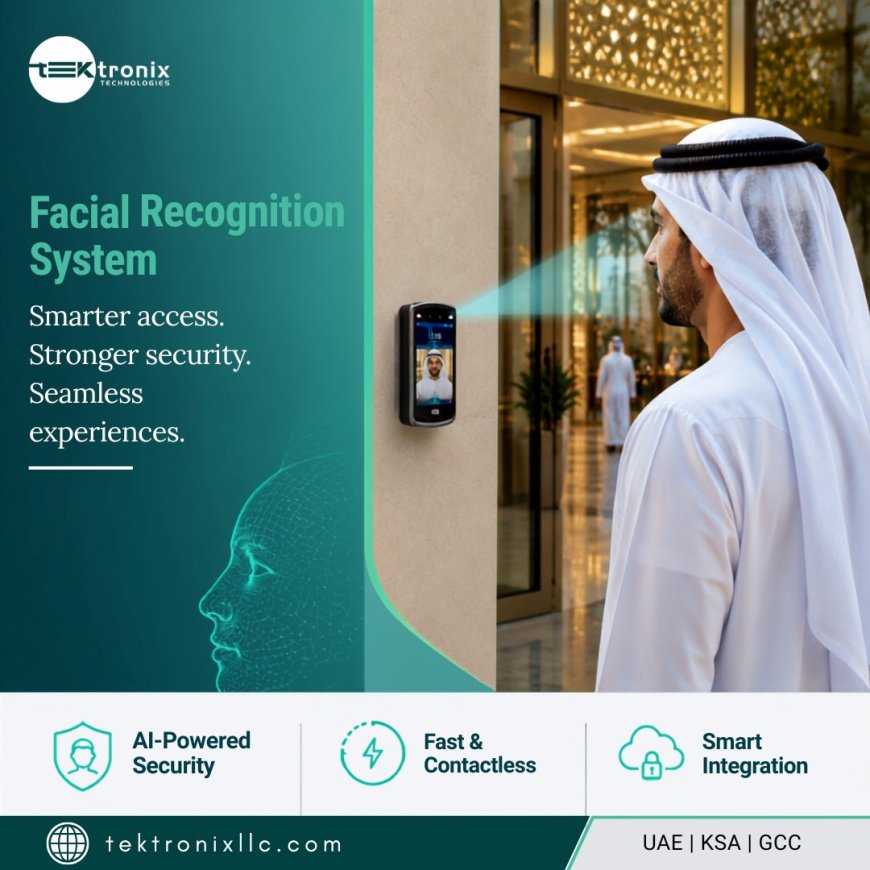
This guide explains how a modern facial recognition system secures corporate workplaces, the technology behind reliable Facial Recognition Access Control, and what to evaluate before selecting a Facial Recognition System KSA partner.
Why Corporate Offices Are Retiring the Swipe Card
Access cards get lost, shared between colleagues, or cloned without anyone noticing. Each of these creates a genuine security gap at a corporate workplace, since a lost or borrowed card grants exactly the same access as the person it was originally issued to.
A face cannot be handed to a colleague or left behind at home, which is why Saudi corporate offices managing executive floors, server rooms, and parking access increasingly treat facial verification as a stronger, more accountable baseline than card-only entry.
What Is a Facial Recognition System and How Does It Secure a Workplace?
Facial Recognition System technology uses deep-learning AI to analyse a person's unique facial geometry, the distances between eyes, nose, mouth, and jawline, and match it against a registered template database in milliseconds. Enterprise-grade platforms deployed in Saudi Arabia today achieve accuracy above 99.9% under controlled entry conditions, with false acceptance rates below one in a million.
For a corporate workplace, this level of accuracy means a face-based entry system can replace cards entirely at doors, turnstiles, and gate barriers, processing dozens of employees per minute at a main entrance without becoming a bottleneck during the morning rush.
Face Detection and Facial Identification: The First Two Steps
Every facial recognition workflow begins with two distinct technical steps that work together but serve different purposes at the door.
Face Detection Locates a Person in the Frame
Face Detection locates a human face within the camera's field of view, distinguishing it from the background or other people nearby, using a dual-camera system that captures both visible light and near-infrared for reliable performance in varied lighting.
Facial Identification Matches It to an Enrolled Employee
Once a face is detected, Facial Identification compares its features against the enrolled employee database, generating a confidence score in under 100 milliseconds and returning a match, a non-match, or an alert if the face does not correspond to anyone on file.
Facial Authentication for Restricted Zones and Sensitive Areas
Where identification asks who is this person, Facial Authentication confirms a face matches a specific claimed identity, which is particularly useful at restricted zones like server rooms or executive floors where a badge tap and a face scan can be combined for a stronger two-factor check.
This authentication-style verification is typically faster than open identification against a large database, making it well suited to high-frequency checkpoints such as staff turnstiles and time-and-attendance terminals used throughout a corporate campus.
Facial Recognition Access Control: Replacing Cards Across the Workplace
The most visible application inside a corporate office is Facial Recognition Access Control, where a face becomes the credential that unlocks doors, turnstiles, and barriers throughout the building.
- Employees move through staff entrances and turnstiles without tapping a card, even when carrying bags or equipment.
- Lost or shared credentials stop being a security gap, since a face cannot be handed to a colleague.
- Every access event is logged with a confidence score, timestamp, and door, creating a reliable audit trail tied to a verified identity.
- Anti-tailgating integration with speed gates enforces a strict one-person-per-verification rule at busy entrances.
For Saudi corporate offices managing different access levels across floors, this technology applies role-based permissions automatically at each door, without issuing a separate physical credential for every restricted zone.
Choosing the Right Facial Recognition Device for a Corporate Building
Hardware placement matters as much as the software behind it. A Facial Recognition Device positioned at a main lobby entrance has different requirements than one mounted at an outdoor parking barrier.
Recognition Range and Field of View
Enterprise-grade readers typically recognize faces from roughly 0.3 to 3 metres away, with a wide field of view that comfortably covers a walking employee rather than requiring them to stop and pose in front of the camera.
Outdoor and Harsh-Environment Ratings
Devices mounted outdoors, at parking structures or perimeter gates, need an IP65 or better rating and a wide operating temperature range to perform reliably through a Saudi summer without degraded accuracy.
Evaluating Facial Recognition Software and Liveness Protection
The camera captures the image, but the Facial Recognition Software behind it determines matching accuracy and, critically, whether the system can be fooled by a photo or video.
- Liveness detection, ideally compliant with the ISO/IEC 30107-3 standard, prevents spoofing attempts using photos, videos, or masks.
- Mask and partial-occlusion recognition maintain high accuracy for employees wearing glasses, hats, or face coverings.
- Encrypted template storage, rather than raw image retention, keeps enrolled biometric data secure even if a server is compromised.
Corporate facilities evaluating vendors should specifically ask about liveness detection standards, since this is the feature that separates a genuinely secure system from one vulnerable to a simple printed photo.
What a Complete Facial Recognition Solution Delivers for a Workplace
A genuinely useful Facial Recognition Solution for a corporate environment extends beyond access control at the front door into several connected use cases across the business.
- Physical access control at doors, turnstiles, and gate barriers, replacing cards throughout the building.
- Visitor screening at reception, automatically matching guest faces against watchlists and pre-registered visitor records.
- Time and attendance tracking that eliminates buddy-punching, integrating directly with payroll and HR systems.
- Video analytics for real-time face matching against CCTV streams, supporting security monitoring and incident investigation.
Deploying facial recognition across all four of these use cases, rather than access control alone, gives a corporate workplace far greater return on the same underlying investment.
Data Privacy, PDPL, and NCSC Compliance for Saudi Deployments
Because facial recognition processes biometric data, Saudi organizations need a platform built for compliance from the ground up rather than retrofitted afterward. A properly configured deployment stores only encrypted mathematical templates rather than raw images, captures explicit employee consent during enrolment, and supports on-premises data residency so biometric information never leaves the Kingdom unless explicitly configured otherwise.
Facilities operating under PDPL and NCSC KSA cybersecurity expectations should also confirm the platform supports role-based access to the biometric database, full audit logging, and a straightforward process for deleting an employee's template on request.
Selecting a Facial Recognition System KSA and Facial Recognition System Riyadh Partner
Sourcing a Facial Recognition System KSA partner for a corporate rollout involves more than comparing camera specifications on a data sheet. Integration depth and local support matter just as much as the hardware itself.
For organizations headquartered specifically in the capital, a Facial Recognition System Riyadh deployment benefits from a provider with proven local installations across the city's corporate towers and government buildings, familiar with Saudi demographics and lighting conditions during accuracy testing.
- Native integration with major access control platforms such as HID, Lenel, Genetec, and C•CURE, rather than a closed proprietary system.
- Proven accuracy performance across Saudi demographics, including mask and partial-occlusion recognition.
- Clear documentation on PDPL-aligned data residency and template encryption.
- Local installation and support teams able to respond quickly for enrolment, commissioning, and servicing.
Requesting a site assessment and live demonstration under the facility's actual lighting and traffic conditions remains the most reliable way to validate a vendor's accuracy claims before a full rollout.
Conclusion
A well-implemented Facial Recognition System gives Saudi corporate workplaces faster, more accountable identity verification than cards ever could, combining accurate Face Detection and Facial Identification with secure Facial Authentication at restricted zones, while robust Facial Recognition Access Control removes the vulnerabilities of shared or lost credentials entirely. A properly selected Facial Recognition Device paired with dependable Facial Recognition Software forms a genuine Facial Recognition Solution rather than isolated hardware, which is why organizations sourcing a Facial Recognition System KSA or Facial Recognition System Riyadh partner should prioritize proven local accuracy and PDPL-aligned data governance.
FAQs
1. How accurate is a Facial Recognition System for corporate access control?
Enterprise-grade Facial Recognition System deployments in Saudi Arabia typically achieve accuracy above 99.9% under controlled entry conditions, with false acceptance rates below one in a million, maintained across different lighting conditions and mild face coverings.
2. What is the difference between Face Detection and Facial Identification?
Face Detection locates a face within the camera's view, while Facial Identification compares that detected face against the enrolled database to determine who the person is. Detection always happens first.
3. Can Facial Recognition Access Control work with employees wearing masks or glasses?
Yes. Modern Facial Recognition Access Control platforms are trained specifically on partially obscured faces, maintaining high recognition accuracy for employees wearing surgical masks, glasses, or head coverings.
4. What should we look for in Facial Recognition Software to prevent spoofing attempts?
Look for Facial Recognition Software with liveness detection compliant with the ISO/IEC 30107-3 standard, which prevents someone from bypassing the system using a photo, video, or 3D mask instead of a live face.
5. Is a Facial Recognition System KSA deployment compliant with PDPL and NCSC requirements?
A properly configured Facial Recognition System KSA or Facial Recognition System Riyadh deployment can store only encrypted biometric templates rather than raw images, keep data residency within Saudi Arabia, and align with NCSC KSA cybersecurity controls including role-based access and full audit logging.