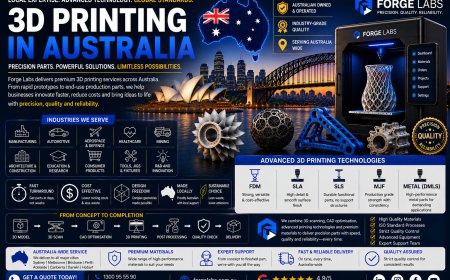
How to Place Your First Trade on Quotex
Learn how to place your first trade on Quotex, choose an asset, set the amount and expiry time, read charts, and manage trading risks safely as a beginner.
 qxbrokers
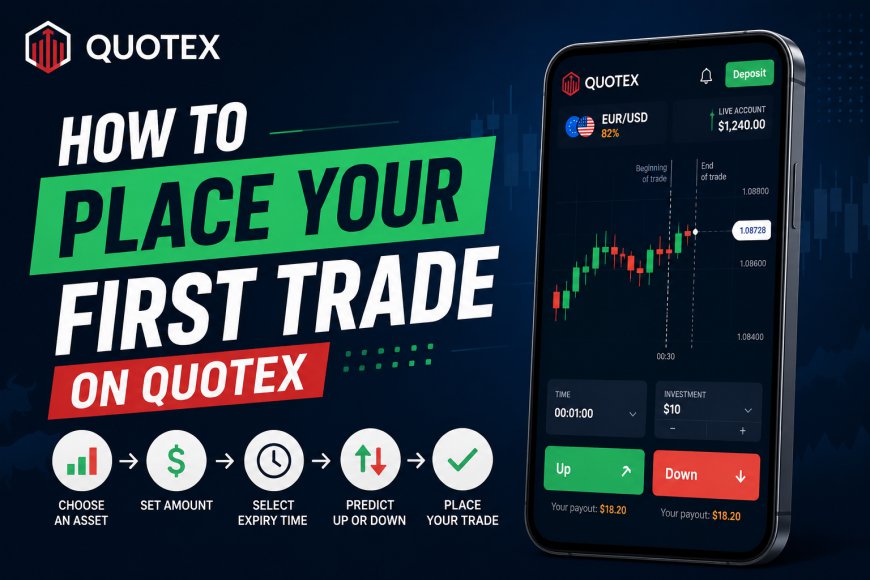
Placing your first trade on Quotex may look simple, but beginners should understand the platform, market movement and financial risks before using real money. Quotex allows users to select an asset, choose an investment amount, set an expiry time and predict whether the asset’s price will move up or down. However, no trade is guaranteed to be profitable, and an incorrect prediction can result in losing the entire amount used for that trade.
Start With a Demo Account
Before placing a real-money trade, begin with the Quotex demo account. It allows you to explore the platform and practise with virtual funds without risking your savings.
Use the demo account to understand how charts move, how expiry times work and how different assets behave. Practising several trades can help you become familiar with the platform, but successful demo results do not guarantee success with real money.
Choose a Trading Asset
After logging in, open the asset selection section. Depending on platform availability, you may see currency pairs, commodities, cryptocurrencies and other financial instruments.
Select an asset you understand rather than choosing one only because it shows a high payout. Beginners should avoid switching between too many assets. Following one or two assets can make it easier to observe price movements and market behaviour.
Analyse the Price Chart
Do not immediately click the Up or Down button. First, examine the price chart and identify whether the market is generally moving upward, downward or sideways.
You can use basic tools such as support and resistance levels, moving averages or the RSI indicator. Indicators do not predict the market with complete accuracy. They should only support your analysis, not replace it.
Avoid placing a trade simply because of a signal received through social media or an online group. Perform your own research and understand why you are entering the trade.
Enter the Trade Amount
Enter the amount you want to use for the trade. Start with the smallest available amount and never use money required for rent, bills, education or household expenses.
Risking a large percentage of your balance on one prediction can quickly reduce your account. Avoid doubling the next trade after a loss, as chasing losses can lead to even greater financial damage. Quotex’s own educational content also recommends controlling trade size and testing risk-management rules on a demo account first.
Select the Expiry Time
The expiry time determines when your trade will close. Very short expiry periods can be highly unpredictable because even a small price movement can change the result.
Choose an expiry time that matches your analysis. Check all details carefully before confirming the trade because you may not be able to change the amount, direction or expiry after placing it.
Choose Up or Down
Select Up when your analysis suggests that the price will finish above the entry level at expiry. Select Down when you believe it will finish below the entry level.
Once you confirm your choice, the trade will remain active until the selected expiry time. If your prediction is correct, the platform may credit the displayed return. If it is incorrect, you can lose the trade amount.
Important Warning for Indian Users
Indian users should verify the legal and regulatory position before depositing money. The Reserve Bank of India’s Alert List, updated on November 19, 2025, includes Quotex among entities not authorised to deal in forex under FEMA or operate an authorised electronic trading platform for forex transactions.
Your first priority should be understanding the risks, checking applicable laws and practising without real money. Treat Quotex as a high-risk activity, not as a guaranteed source of income.