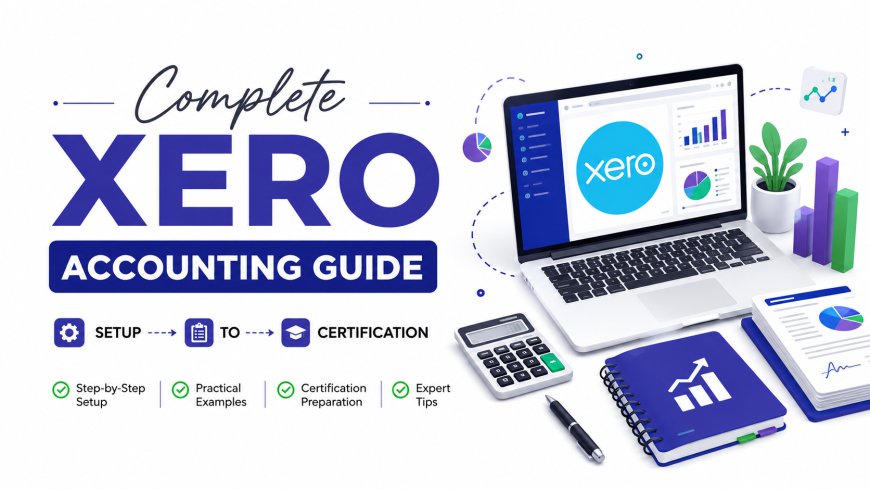
Complete Xero Accounting Guide: Setup to Certification
At ICT, we get asked almost daily: "What is Xero, and is it worth learning?" This guide answers that question in full detail.
 Ehtisham
Running a business today without cloud accounting software is like trying to navigate a new city without GPS — technically possible, but unnecessarily hard. That's exactly why so many accountants, bookkeepers, and small business owners in Pakistan and around the world are turning to Xero. At ICT, we get asked almost daily: "What is Xero, and is it worth learning?" This guide answers that question in full detail. Whether you're a student exploring cloud accounting, a freelancer wanting to add a marketable skill, or a business owner deciding on software, this article walks you through everything — from the basics to certification. If you're serious about turning this knowledge into a career, our Australian Accounting Course (Xero Training) and UK Accountant Course (Xero Training) are built specifically around real-world Xero workflows. And if you'd like to see why thousands of students trust us, check out why our institute stands out before you decide where to learn.
By the end of this guide, you'll understand what Xero is, how it works, what it costs, how it compares to QuickBooks, and how to actually build a career around it.
What Is Xero Accounting Software?
Xero is a cloud-based accounting software that helps businesses manage bookkeeping, invoicing, payroll, bank reconciliation, and financial reporting — all from a single online dashboard. Unlike traditional desktop accounting tools, Xero runs entirely in the cloud, meaning you (or your accountant) can access your books from anywhere, on any device, in real time.
In simple words: Xero replaces spreadsheets and manual ledgers with an automated, connected system that talks directly to your bank account.
Why Xero Matters (Especially for Pakistani Businesses & Professionals)
Cloud accounting isn't a luxury anymore — it's becoming the industry standard. Here's why Xero specifically has become so relevant:
- Real-time financial visibility – Owners can check cash flow, profit, and expenses instantly instead of waiting for month-end reports.
- Remote-friendly – Since it's cloud-based, accountants in Pakistan can manage books for clients in the UK, USA, UAE, or Australia without leaving home.
- Global demand for Xero-certified professionals – Companies in Australia, the UK, and New Zealand actively hire remote bookkeepers who know Xero.
- Automation reduces human error – Bank feeds, auto-categorization, and reconciliation tools cut down manual data entry significantly.
- SME-friendly pricing – Compared to enterprise ERP systems, Xero is affordable for freelancers and small businesses.
For Pakistani freelancers and accountants who want to work with international clients, learning Xero alongside country-specific tax knowledge — such as our UK Taxation or USA Taxation courses — creates a powerful, hireable skill combination.
Key Skills, Tools & Benefits of Learning Xero
Core Skills You'll Gain
- Bank reconciliation and transaction matching
- Creating and sending professional invoices
- Managing accounts payable and accounts receivable
- Running financial reports (profit & loss, balance sheet, cash flow)
- Payroll processing and compliance
- VAT/GST setup and filing
- Multi-currency accounting for international clients
Tools & Add-Ons Xero Connects With
Xero isn't a standalone island — it integrates with tools like Stripe, PayPal, Shopify, and HubSpot, and it works well alongside other systems such as Odoo ERP for businesses that need broader enterprise resource planning beyond accounting alone.
Key Benefits
- Saves 5–10 hours per week on manual bookkeeping tasks
- Reduces reconciliation errors through automated bank feeds
- Provides audit-ready financial statements
- Scales with your business — from freelancer to multi-branch company
Step-by-Step Guide: How to Set Up and Use Xero
Step 1: Create Your Xero Account
Sign up on Xero's official website and choose a subscription plan based on your business size — starter, standard, or premium.
Step 2: Set Up Your Organization Details
Add your business name, industry, financial year-end, and currency. This step determines how your reports and tax settings will be structured.
Step 3: Connect Your Bank Account
Link your business bank account using Xero's bank feed feature. Transactions will begin flowing in automatically, eliminating manual entry.
Tip:
Always double-check your opening balances before reconciling — a wrong starting figure throws off every report afterward.
Step 4: Set Up Your Chart of Accounts
Customize your chart of accounts to match your business type — retail, services, manufacturing, or freelance work.
Step 5: Create Invoices and Record Expenses
Start issuing invoices to clients and logging business expenses. Xero allows recurring invoices, which is especially useful for subscription-based businesses.
Tip:
Use Xero's mobile app to snap photos of receipts on the go — it uses OCR to auto-extract the data.
Step 6: Reconcile Bank Transactions Weekly
Don't wait until month-end. Reconcile weekly so small errors don't pile up into big problems.
Step 7: Run Reports and Review Financial Health
Generate your profit and loss statement, balance sheet, and cash flow reports monthly to track business performance.
Tip:
If numbers don't add up during reconciliation, check for duplicate bank feed entries first — it's the most common culprit.
Step 8: Set Up Payroll and VAT (If Applicable)
Configure payroll settings for employee salaries and tax deductions, and set up VAT/GST if your business is registered.
For learners who want structured, hands-on practice rather than trial-and-error, our Master Advanced Excel and Certified Data Analyst courses pair well with Xero training, since financial reporting and data analysis go hand in hand.

Xero Job Scope, Salary & Demand in 2026
Cloud accounting skills are consistently listed among the most in-demand freelance and remote job categories. Here's what the current landscape looks like:
| Role | Average Monthly Range (Freelance/Remote) |
|---|---|
| Xero Bookkeeper (Entry-level) | PKR 60,000 – 120,000 |
| Xero Certified Advisor | PKR 120,000 – 250,000+ |
| Remote Accountant (UK/AU clients) | PKR 150,000 – 350,000+ |
| Xero + Payroll Specialist | PKR 100,000 – 200,000 |
Note: These figures vary based on client location, experience, and specialization.
Demand is especially high for professionals who combine Xero skills with international taxation knowledge. If you're aiming for UK or Australian clients, pairing Xero training with our Canadian Taxation or UAE Taxation courses can significantly widen your client base across regions.
Why Choose ICT to Learn Xero
There's a real difference between watching free tutorials and getting structured, mentor-led training with practical client scenarios. At ICT, our Xero-focused programs are designed around real business cases — not just theory.
Here's what sets us apart:
- Practical, hands-on training with live software access
- Instructors with real accounting and consulting experience
- Certification that adds credibility to your CV
- Career support and guidance for freelance and remote job hunting
- Flexible online and in-person class options
You can read more about why students consistently choose ICT for professional training, and explore our full range of accounting and taxation courses.
How to Learn Xero (Free + Paid Resources)
Free Resources:
- Xero Central (official knowledge base and tutorials)
- YouTube walkthroughs from certified Xero advisors
- Free trial account to practice hands-on
Paid/Structured Learning:
- ICT's Australian Accounting Course (Xero Training) — ideal for those targeting Australian clients
- ICT's UK Accountant Course (Xero Training) — focused on UK-based bookkeeping and compliance
- Official Xero Advisor Certification (through Xero's own platform)
- General online platforms like Coursera for supplementary financial accounting theory
If you'd also like to strengthen your data and reporting skills alongside Xero, our blog on Excel vs Power Bi for career success is a useful read.
Real-World Examples of Businesses Using Xero
- A freelance graphic designer in Lahore uses Xero to invoice international clients in multiple currencies and track project profitability without hiring a full-time accountant.
- A retail store owner in Karachi connects Xero to their POS system, automatically syncing daily sales with bank reconciliation.
- A UK-based startup outsources its entire bookkeeping to a Pakistan-based Xero-certified bookkeeper, cutting accounting costs by nearly 60% while maintaining accuracy.
- An accounting firm uses Xero's multi-client dashboard to manage 40+ small business accounts from one login, saving hours of manual switching between spreadsheets.
These examples show exactly why cloud bookkeeping and remote accounting work are growing career paths — something we cover in more depth in our blog on trending tax and accounting specializations.
Xero vs QuickBooks vs Other Software
| Feature | Xero | QuickBooks | Zoho Books |
|---|---|---|---|
| Cloud-based | Yes | Yes | Yes |
| Unlimited users (standard plans) | Yes | Limited | Limited |
| Multi-currency support | Yes (paid plans) | Yes | Yes |
| Best for | SMEs, freelancers, remote teams | Small-to-mid businesses | Budget-conscious startups |
| Learning curve | Moderate | Moderate | Easy |
Xero tends to stand out for businesses that need unlimited user access and strong third-party app integrations, while QuickBooks is often favored by businesses already embedded in the Intuit ecosystem.
Future Career Opportunities with Xero Skills
Cloud accounting isn't slowing down — if anything, AI-driven automation is making Xero-certified professionals even more valuable, since businesses still need humans to interpret data, ensure compliance, and advise strategically. Career paths include:
- Remote Xero Bookkeeper for international clients
- Freelance Accounting Consultant
- In-house Financial Controller for SMEs
- Xero Certified Advisor / Partner
- Combined roles like AI-Driven CFO, where automation tools and financial strategy meet — something our AI-Driven CFO Masterclass prepares students for.
Professionals who pair Xero with business advisory skills also often move into consulting roles — our Certified Business Advisor and Company Secretary Course are natural next steps for career growth.
Frequently Asked Questions (FAQs)
1. What is Xero used for?
Xero is used for cloud-based bookkeeping, invoicing, bank reconciliation, payroll, and financial reporting for small and medium-sized businesses.
2. Is Xero good for beginners?
Yes. Xero has a relatively intuitive dashboard, and with structured training, beginners can become proficient within a few weeks.
3. Is Xero better than QuickBooks?
Neither is universally "better" — Xero often wins on unlimited-user access and app integrations, while QuickBooks has a larger US-based ecosystem. The right choice depends on your business needs.
4. How much does Xero cost?
Xero offers tiered subscription plans, typically ranging from basic starter plans to premium plans with payroll and multi-currency features. Pricing varies by region.
5. Can Xero handle payroll and VAT?
Yes, Xero supports payroll processing and VAT/GST setup, though availability of specific features can depend on your country.
6. Is Xero suitable for freelancers in Pakistan?
Absolutely. Many Pakistani freelancers use Xero to manage invoicing and bookkeeping for international clients in the UK, US, and Australia.
Conclusion: Start Your Xero Journey Today
Xero isn't just software — it's a career-building skill that's in growing demand across global markets. Whether you want to manage your own business finances more efficiently or build a freelance/remote career serving international clients, learning Xero properly (not just clicking around) makes all the difference.
At ICT, we've helped countless students turn cloud accounting knowledge into real income — through structured Xero training, taxation expertise, and career mentorship. If you're ready to stop guessing and start learning with a proven curriculum, book your seat at ICT today and take the first real step toward a cloud accounting career.
Enroll now or get in touch with our team to find the Xero training path that fits your goals.