Where to Find Your License Key Number for QBD Enterprise 2024
Stuck looking for your License Key Number for QBD Enterprise 2024? This guide covers finding your key, activating your software, fixing Error 3371, and renewal costs.
 holmesjony26
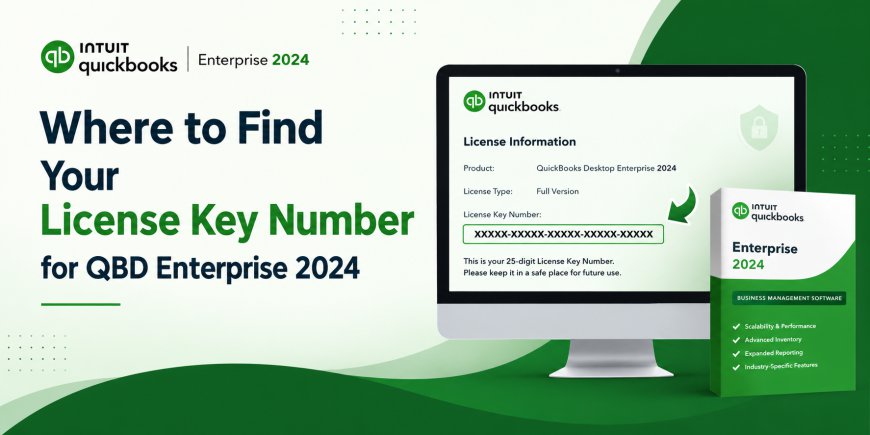
For any business managing complex inventory, payroll, or a large workforce, QuickBooks Desktop (QBD) Enterprise 2024 remains the gold standard. It offers the power of an ERP without the chaos of switching to a completely new platform.
However, before you can utilize advanced pricing rules or handle a million inventory items, you have to clear the first hurdle: The License Key Number.
Whether you just purchased the software, found an old box in the office, or are facing a sudden "Validation Failed" error, this guide will walk you through everything regarding the License Key Number for QBD Enterprise 2024.
What is a QBD Enterprise 2024 License Key Number?
First, let’s clarify what you are looking for. For QuickBooks Desktop Enterprise 2024, your license is the "key" that unlocks the software.
Unlike older "perpetual" licenses (where you paid once and owned it forever), QuickBooks Enterprise 2024 operates on a subscription model . This means your license key is tied to a specific time limit (usually one year). You aren't just buying a CD; you are buying access to cloud features, payroll updates, and security patches.
You will need two pieces of information to install:
-
The License Number (or Key): Usually a format of
XXX-XXX-XXX-XXX-XXX. -
The Product Number: Usually a format of
XXX-XXX.
If you have the 2024 version, you will also need to activate it before the deadline (often Jan 31, 2025, for specific retail copies) to ensure compliance .
Method 1: How to Find Your License Key Number (3 Proven Ways)
Lost the email? Threw away the box? Don't panic. Here is how to retrieve your License Key Number for QBD Enterprise 2024.
1. The "F2" Trick (If it's already installed)
If you have Enterprise 2024 running on a computer but need the key to install it on a server or another workstation, you don't need to search your emails.
-
Open QuickBooks Enterprise 2024.
-
Press the
F2key on your keyboard (orCtrl + 1on some laptops). -
A window called "Product Information" will pop up.
-
Look for the License Number and Product Number listed clearly on the left side .
2. Check the Digital Purchase (Email & Intuit Account)
If you bought the software directly from Intuit or a verified reseller:
-
Search your email: Look for the original purchase confirmation email from Intuit or the reseller.
-
Check CAMPS: Visit the Intuit Customer Account Management Portal (CAMPS). Sign in with the Intuit account you used to buy the software. Your product and license info for Enterprise 2024 will be listed under "Products & Services" .
3. The Physical Box (Retail)
If you bought a physical box from a store like Quill or Staples:
-
Look at the inside of the CD case or the back of the packaging.
The "Lifetime License" Myth vs. Reality for 2024
While searching for a License Key Number for QBD Enterprise 2024, you will see ads for "Lifetime License" or "Perpetual Key" for the 2024 version.
Be very careful.
While Intuit does offer "Lifetime" licenses for some older versions (like 2021), the Enterprise 2024 model is predominantly subscription-based . If you see a website selling a "one-time payment" for Enterprise 2024 that is drastically cheaper than the $1,800+ retail price, it is often a grey-market key or an educational version that violates Intuit's terms of service .
-
Legitimate Pricing: Expect to pay between $1,400 and $1,900 for a 1-User subscription of Enterprise 2024 .
-
Renewals: After 12 months, the software will lock you out of payroll and banking features unless you enter a new renewal license key.
Common Activation Errors & Fixes
Finding the key is step one. Sometimes, even with the right License Key Number for QBD Enterprise 2024, QuickBooks throws a fit. Here are the two most common issues and how to solve them.
Error 3371: "Could not initialize license properties"
This is the most infamous license error. It usually means the digital file storing your license data (Entitlement File) got damaged or deleted.
-
The Fix: Download the QuickBooks Tool Hub. Go to the "Installation Issues" tab and select "3371 Error Fix" . This will rebuild your license data file .
"License Number Already in Use" or Validation Failed
This happens if you are trying to install your one-user license on a second computer without deactivating the first, or if your subscription expired.
-
The Fix: If your subscription is active, log into your Intuit account and select "Deactivate" on the old machine. If the problem persists, you may need to manually edit the
qbregistration.datfile or change the license number via the Help menu (Help > Manage My License > Change License Number) .
How to Install QBD Enterprise 2024 (Quick Setup)
Once you have your License Key Number for QBD Enterprise 2024, the installation is straightforward .
-
Download: Do not use a random CD. Download the latest installer from your CAMPS portal to ensure you have the latest release.
-
Run as Admin: Right-click the installer and select "Run as Administrator."
-
Enter Keys: Input your License Key and Product Number exactly as written (dashes included).
-
Registration: After install, open QuickBooks. It will ask you to activate. You must do this within a specific timeframe (usually 30 days) or the software enters "Courtesy Mode" and eventually locks up.
-
Set Up File: Create a new company file or restore a backup from an older version.
Pro Tip for Network Installations: If installing on a server, make sure your firewall allows sharing. For Enterprise 2024, you will install the "Server" version on the main computer hosting the data and the "Workstation" version on the employee computers .
Frequently Asked Questions
Here are the top 5 questions users ask about the License Key Number for QBD Enterprise 2024.
Can I use my QuickBooks Pro 2024 license key for Enterprise 2024?
No. QuickBooks Pro, Premier, and Enterprise are different product tiers. A Pro license key will not unlock Enterprise features. You must purchase a specific Enterprise license, which costs significantly more due to the advanced inventory and reporting capabilities .
What happens when my QBD Enterprise 2024 license expires?
Once your annual subscription ends, the software enters "read-only" mode for a brief grace period. After that, you will be locked out entirely. You will not lose your data, but you cannot edit files, process payroll, or accept credit cards until you purchase a renewal license key .
I found a cheap key on a shopping site. Is it legit?
Generally, no. If the price is under $1,000 for Enterprise 2024, it is almost certainly a fraudulent key, a "cracked" version, or a developer copy. These keys will eventually be blacklisted by Intuit during a routine validation check, leaving you with corrupted data and no support .
How do I move my Enterprise 2024 license to a new computer?
You don't need to buy a new key. Simply deactivate the license on the old computer (Help > Manage My License > Deactivate). Then, on the new computer, use your original License Key Number to install. You are allowed to move your license, but you generally cannot run it on two machines simultaneously unless you bought a multi-user pack .
I lost my key. Can Intuit support give it to me?
Intuit support cannot read your key over the phone for security reasons. However, they can guide you to the License Lookup Tool on their website. You will need to verify your identity (usually via email or phone number associated with the purchase) to retrieve your License Key Number for QBD Enterprise 2024 .
Final Thoughts
The License Key Number for QBD Enterprise 2024 is the gateway to managing your business finances. Because Intuit has shifted toward a subscription model for the 2024 version, managing your license is now more about account management (keeping your Intuit login safe) than keeping a yellow sticker safe.