Headshot Background Removal Service: Complete Guide for Professional Headshots
Professional headshot background removal for LinkedIn, corporate profiles, resumes, portfolios and personal branding with natural results.
 Globalphotoedit
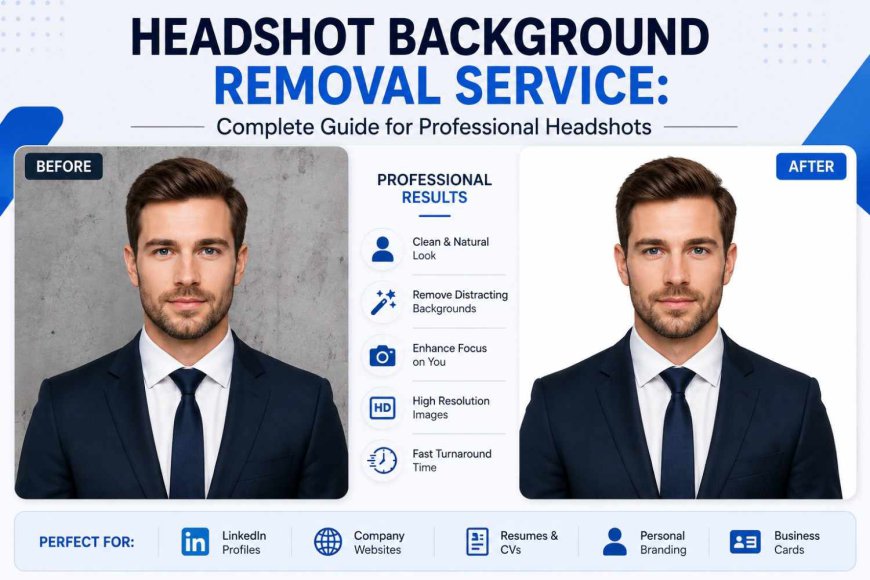
A professional headshot creates an important first impression online. It may appear on LinkedIn, company websites, resumes, portfolios, speaker profiles, and business materials. A Headshot Background Removal Service can help remove distracting surroundings and create a cleaner presentation. Good editing should not simply erase the background. It should also preserve natural hair, facial details, clothing edges, lighting, and image quality.
What Is Headshot Background Removal?
Headshot background removal is the process of separating a person from the original background. The unwanted area can then be removed, made transparent, or replaced with another background.
Unlike basic cropping, background removal isolates the subject from the surrounding environment. This requires careful editing around hair, ears, glasses, shoulders, and clothing.
Professional editing can make a headshot more flexible. The same portrait can be used with different backgrounds, layouts, or brand designs depending on the project.
Why Background Matters in Professional Headshots
A background can influence how a professional portrait looks. A busy environment may distract viewers from the person. Unwanted objects, inconsistent colors, or poor lighting can also affect the overall presentation.
Professional Headshot Background Removal helps keep attention on the subject. Clean backgrounds are often useful for corporate profiles, professional directories, resumes, and online profiles.
However, background removal does not always mean using a plain white background. The right choice depends on the purpose of the photograph, branding requirements, and preferred visual style.
Common Uses of Headshot Background Editing
Headshot editing is useful in many professional situations. Common applications include:
- LinkedIn profile photos
- Corporate websites
- Employee directories
- Resumes and CVs
- Business cards
- Professional portfolios
- Speaker profiles
- Author pages
- Presentations
- Marketing materials
For example, a company may need employee portraits with a consistent visual appearance. A freelancer may need a transparent headshot for different website designs.
How Professional Background Removal Works
A quality editing workflow usually includes several steps.
Image Assessment
The editor reviews the photograph before starting. Resolution, lighting, hair details, clothing, shadows, and background complexity can affect the editing process.
Subject Selection
The person is carefully separated from the original background. Simple backgrounds may require less work, while complex surroundings need more detailed selection.
Edge Refinement
Hair, glasses, shoulders, and clothing require careful attention. Poor edge work can create visible outlines or unnatural gaps.
Background Removal
The unwanted background is removed after the subject has been accurately isolated. The final image can then have a transparent or replacement background.
Final Quality Check
The image should be checked for leftover background fragments, rough edges, halos, incorrect shadows, and resolution issues before delivery.
Background Options for Professional Headshots
Different projects may require different background styles.
Transparent Background
A transparent background provides flexibility for websites, presentations, advertisements, and graphic layouts.
White Background
A white background can create a clean and formal appearance. It is often suitable for professional documents and corporate uses.
Neutral Background
Gray, beige, or other subtle backgrounds can provide a polished appearance without distracting from the subject.
Branded Background
Businesses may use colors, gradients, or other elements that match their visual identity.
The best option depends on the intended use of the photograph.
Corporate Headshot Background Removal
Companies often use headshots across websites, employee directories, presentations, and marketing materials. Consistent editing can help create a more organized visual appearance.
Corporate Headshot Background Removal can be useful when employee photographs were taken in different locations or under different conditions. Similar framing, dimensions, and background treatment can improve consistency.
However, consistency should not make every person look artificial. Natural facial features and realistic image quality should remain the priority.
LinkedIn Headshot Background Editing
A LinkedIn photograph should present the person clearly and professionally. A distracting environment can reduce visual focus.
LinkedIn Headshot Background Editing can simplify an unsuitable background and make the portrait easier to use for professional branding.
The result should remain authentic. Excessive retouching, unrealistic backgrounds, or heavy facial changes may make a profile photo look unnatural.
What Makes High-Quality Background Removal?
A good result should look natural rather than heavily edited.
Important quality factors include:
- Clean subject edges
- Natural hair details
- No background fragments
- No visible halos
- Accurate clothing outlines
- Natural shadows
- Good image resolution
- Consistent colors
- No unnecessary facial changes
Background Removal for Professional Headshots should preserve the person's identity while making the image more flexible and professional.
Common Editing Mistakes
Poor editing can make a headshot look artificial. Rough hair edges, leftover background fragments, incorrect shadows, and excessive smoothing are common problems.
Other issues include low-resolution output, inconsistent colors, poor background selection, and unnatural cutouts.
Careful masking and quality checking can help prevent these problems. The objective should always be to improve presentation without making the editing obvious.
How to Choose an Editing Service
When comparing Headshot Background Removal Services, focus on actual editing quality rather than promotional claims.
Consider:
- Portfolio quality
- Portrait editing experience
- Edge precision
- Output formats
- Image resolution
- Turnaround expectations
- Revision options
- Communication
- Privacy practices
- Consistency across multiple images
Explain your intended use before editing begins. A LinkedIn portrait may require a different treatment from a corporate employee photo or printed advertisement.
Global Photo Edit can be considered as one option when comparing professional photo editing providers.
Frequently Asked Questions
What is headshot background removal?
It is the process of separating a person from the original background and removing or replacing that background while preserving the subject.
Why remove a headshot background?
It can reduce distractions and make the image suitable for professional websites, profiles, resumes, and marketing materials.
Can hair details be preserved?
Yes. Careful editing can preserve important hair details. The difficulty depends on image quality, hairstyle, lighting, and the original background.
What background is best for a professional headshot?
There is no universal choice. White, transparent, neutral, or branded backgrounds may work depending on the intended use.
Is background editing useful for LinkedIn?
Yes. It can help when the original environment is distracting or unsuitable for a professional profile.
How should I choose an editing provider?
Review portfolio quality, edge precision, image resolution, turnaround expectations, revision options, and experience with professional portraits.
Conclusion
A professional headshot should look clean, natural, and appropriate for its intended purpose. Accurate background removal, careful edge refinement, and suitable background selection can improve the flexibility of a portrait.
Whether the image is intended for LinkedIn, a corporate website, a resume, or personal branding, the editing approach should match its purpose. Headshot Background Removal Service can be valuable when it improves presentation while preserving the person's authentic appearance.
Before selecting a provider, review sample work and clearly communicate your preferred background, image dimensions, file format, and intended use. A thoughtful editing process can turn a standard portrait into a versatile professional image without making the editing itself noticeable.