ASUS ROG Flow Z13: Gaming Tablet Redefined
ASUS ROG Flow Z13 review: specs, performance, and price compared to the Lenovo ThinkPad X1 Carbon Gen 13 and Microsoft Surface Pro. Is it worth buying?
 uaetechdubai
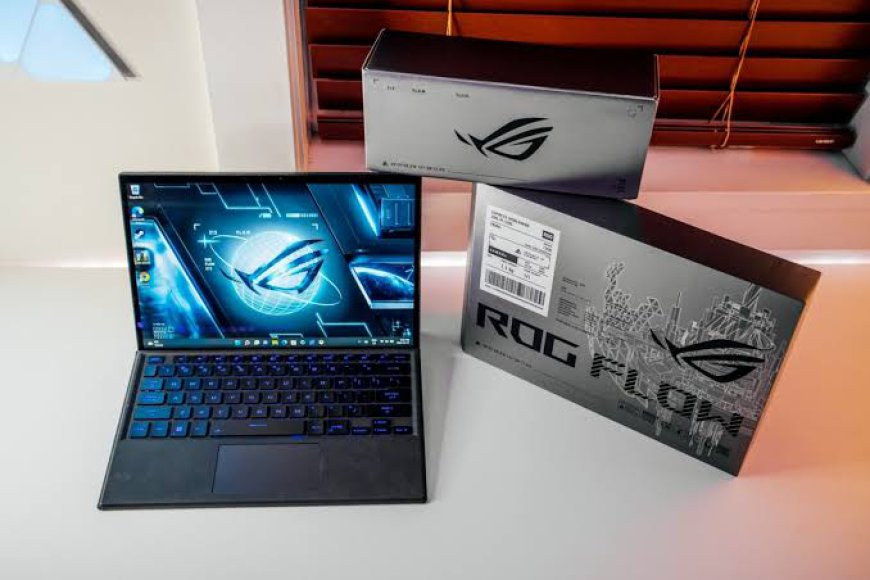
ASUS ROG Flow Z13: The Gaming Tablet That Punches Above Its Weight
Picture a device that looks like a Microsoft Surface Pro, folds up like a business ultrabook, and then games like a full-sized gaming laptop. That's the pitch behind the ASUS ROG Flow Z13, and after several hardware generations, it has become one of the most talked-about entries in the 2-in-1 category.
This isn't your typical productivity tablet. It's a gaming machine squeezed into a 13.4-inch detachable chassis, aimed at people who refuse to choose between portability and power. But how does it stack up against a traditional business ultrabook like the Lenovo ThinkPad X1 Carbon Gen 13, and where does it fit next to the device it visually resembles, the Microsoft Surface Pro?
In this article, you'll learn what makes the ROG Flow Z13 tick, how its latest hardware performs, who it's actually built for, and how it compares to its closest rivals so you can decide whether it deserves a spot on your desk (or in your backpack).
What Is the ASUS ROG Flow Z13?
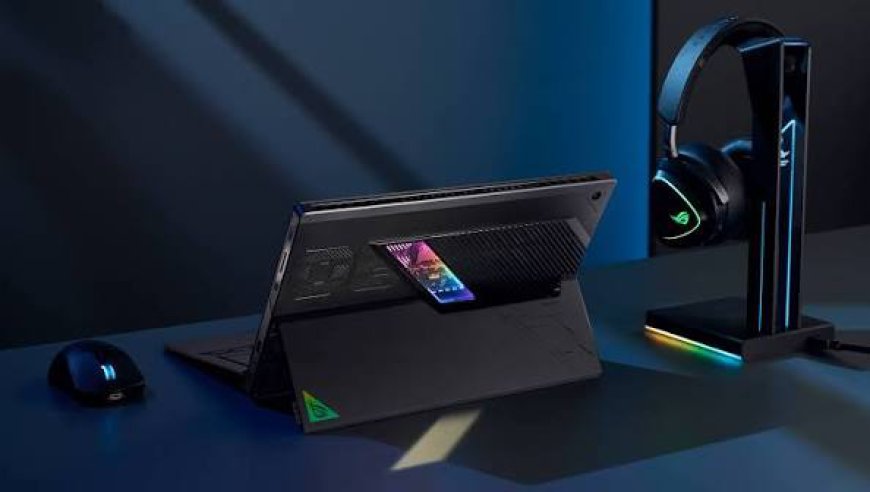
The ROG Flow Z13 is part of ASUS's Republic of Gamers lineup, but it breaks from convention. Instead of a clamshell gaming laptop with a discrete GPU bolted in, ASUS built a detachable tablet-style device with a kickstand and a magnetic keyboard cover, similar in silhouette to the Surface Pro. Underneath that slim shell, though, sits genuine gaming-grade silicon.
The current-generation Flow Z13 is powered by AMD's Ryzen AI Max platform including the Ryzen AI Max+ 395 and Ryzen AI Max 390 chips, built on AMD's "Strix Halo" architecture. What makes this platform notable is that it pairs a powerful CPU with an unusually strong integrated GPU (RDNA 3.5-based Radeon graphics), which lets the Flow Z13 deliver gaming performance that would normally require a discrete graphics card. ASUS has also released special-edition variants, including a Kojima Productions-branded model tied to the Death Stranding universe, showing how far the Flow Z13 has moved from being a niche experiment to a flagship product line.
Key Specifications
Here's a breakdown of what you get in the current ROG Flow Z13 lineup:
Display
-
13.4-inch ROG Nebula touchscreen
-
2.5K (2560 x 1600) resolution, 16:10 aspect ratio
-
180Hz refresh rate with 3ms response time
-
PANTONE-validated color accuracy with wide color gamut coverage
Performance
-
AMD Ryzen AI Max 390 or Ryzen AI Max+ 395 processor
-
Integrated AMD Radeon graphics (RDNA 3.5)
-
Up to 128GB of LPDDR5X-8000 quad-channel memory
-
Up to 2TB of PCIe Gen 4 SSD storage
-
Wi-Fi 7 connectivity
Design and Build
-
Detachable 2-in-1 tablet form factor with built-in kickstand
-
Magnetic backlit keyboard attachment
-
Weighs roughly 1.7 kg (about 3.8 lbs) with keyboard
-
Fingerprint scanner for secure sign-in
-
Windows 11 Pro with Copilot+ PC AI features
Pricing
Pricing varies significantly by configuration. Entry-level models with the Ryzen AI Max 390 chip and 32GB of RAM start around $1,450 to $2,000, while range-topping configurations with the Ryzen AI Max+ 395 and 128GB of RAM can climb toward $2,700. That's a wide spread, so it pays to match the configuration to your actual workload rather than defaulting to the top-tier SKU.
Real-World Performance: Is It Actually Good for Gaming?
The headline feature of the Flow Z13 is that it doesn't need a discrete GPU to be a genuinely capable gaming device. Independent reviewers have consistently highlighted this as the standout trait of the Strix Halo-powered model, describing it as one of the most well-rounded two-in-one devices they've tested, with strong results across CPU, GPU, and storage benchmarks alike.
That combination of a mobile form factor and console-adjacent gaming performance is what separates the Flow Z13 from ordinary ultrabooks. You can realistically play modern AAA titles at 1080p or the native 2.5K resolution with reduced settings, something that's simply not possible on integrated graphics from Intel or a base-tier Apple Silicon chip. For gamers who want a "take it anywhere" device that can genuinely run current titles without an external GPU dock, this is a rare combination.
That said, the trade-off is thermal and battery performance. A 13-inch tablet chassis has less room for cooling than a bulkier gaming laptop, so under sustained gaming loads, expect fan noise and some thermal throttling during long sessions. Battery life also takes a hit when the GPU is under load this is a device best used plugged in for serious gaming, with battery-only mode reserved for lighter tasks.
ASUS ROG Flow Z13 vs. Lenovo ThinkPad X1 Carbon Gen 13
These two laptops target very different audiences, but they're worth comparing directly because buyers often cross-shop premium 13–14 inch devices.
|
Feature |
ASUS ROG Flow Z13 |
Lenovo ThinkPad X1 Carbon Gen 13 |
|
Form factor |
Detachable 2-in-1 tablet |
Traditional clamshell ultrabook |
|
Display |
13.4" 2.5K, 180Hz touchscreen |
14" 2.8K OLED, 120Hz |
|
Processor |
AMD Ryzen AI Max (Strix Halo) |
Intel Core Ultra 7 (Lunar Lake) |
|
Graphics |
Integrated RDNA 3.5 (gaming-capable) |
Integrated Intel Arc (productivity-focused) |
|
Target user |
Gamers, content creators, hybrid users |
Business professionals, road warriors |
|
Battery life focus |
Moderate, gaming drains fast |
All-day productivity endurance |
|
Build |
Tablet chassis with kickstand |
Carbon-fiber-reinforced clamshell |
|
Starting price |
~$1,450–$2,000 |
~$1,870+ |
The ThinkPad X1 Carbon Gen 13 Aura Edition is built for a completely different priority: all-day battery life, a comfortable full-size keyboard, and enterprise-grade durability and security features that IT departments favor, like a stunning 2.8K OLED display and vPro-ready processors. It's not designed to game its integrated Intel Arc graphics are meant for everyday multitasking, not frame rates.
The Flow Z13, on the other hand, sacrifices some of that all-day battery comfort and keyboard ergonomics (detachable keyboards are rarely as satisfying to type on as a traditional laptop hinge) in exchange for genuine gaming muscle in a portable shell.
Bottom line: if your priority is typing comfort, battery longevity, and business-grade reliability, the ThinkPad X1 Carbon Gen 13 wins. If you want a device that can convincingly double as a gaming rig without carrying a second laptop, the Flow Z13 is in a class of its own.
How Does It Compare to the Microsoft Surface Pro?
Visually, the Flow Z13 and Microsoft Surface Pro are near-twins both use a kickstand-and-detachable-keyboard design. But their purposes diverge sharply. The Surface Pro is built around Microsoft's Copilot+ PC vision, focused on productivity, pen input, and long battery life with ARM-based or low-power Intel chips. It's excellent for note-taking, browsing, and light creative work, but it isn't intended for demanding games.
The Flow Z13 borrows the Surface Pro's silhouette but replaces the low-power internals with genuinely powerful, high-wattage gaming hardware. Think of the Surface Pro as the productivity-first sibling and the Flow Z13 as the gaming-first cousin who happens to share the family look.
Pros and Cons
Pros
-
Genuinely capable gaming performance without a discrete GPU
-
High refresh-rate, color-accurate touchscreen display
-
Versatile detachable design that doubles as a productivity tablet
-
Massive memory configurations available (up to 128GB) for creative workloads
-
Wi-Fi 7 and modern connectivity standards
Cons
-
Detachable keyboard isn't as comfortable as a traditional laptop for extended typing
-
Battery life drops noticeably under gaming loads
-
Fan noise and heat under sustained performance
-
Premium configurations get expensive quickly
-
Repairability and upgrade options are more limited than a standard laptop
Frequently Asked Questions
Is the ASUS ROG Flow Z13 good for gaming? Yes. The Strix Halo-powered models with AMD Ryzen AI Max chips offer integrated graphics performance that rivals some discrete-GPU laptops, making it one of the most capable gaming tablets available.
Can the ROG Flow Z13 replace a business laptop like the ThinkPad X1 Carbon? It can handle office work, but its detachable keyboard and shorter battery life under heavy loads make it less ideal for all-day business use compared to a dedicated ultrabook like the X1 Carbon Gen 13.
How much does the ASUS ROG Flow Z13 cost? Pricing typically ranges from around $1,450 for entry configurations to roughly $2,700 for top-tier models with 128GB of RAM and the Ryzen AI Max+ 395 processor.
Does the Flow Z13 need an external GPU? Not necessarily. Unlike its predecessors, which relied on an optional external GPU dock, the current Strix Halo-powered Flow Z13 delivers strong gaming performance from its integrated graphics alone.
Final Thoughts
The ASUS ROG Flow Z13 occupies a genuinely unique niche: a tablet-style 2-in-1 that can actually game. It won't outlast a ThinkPad X1 Carbon Gen 13 on battery, and it won't feel as refined for typing as a traditional business ultrabook, but for anyone who wants a single portable device that handles both productivity and serious gaming, there's nothing else quite like it on the market right now.
If you're deciding between these devices, think about your primary use case first. Need all-day battery and a premium typing experience for work? The ThinkPad X1 Carbon Gen 13 is the safer bet. Want a device that can genuinely game on the go without lugging around a bulky laptop? The ROG Flow Z13 is worth the investment.
Have you used the ASUS ROG Flow Z13, or are you deciding between it and the ThinkPad X1 Carbon Gen 13? Share your experience in the comments below, and don't forget to share this article with anyone shopping for a portable gaming or productivity device.