

Five Motion Graphics Software Options Worth Considering in 2026
A practical 2026 guide to five Motion Graphics software options, covering what each tool does well, who it suits, pricing changes and key limits.
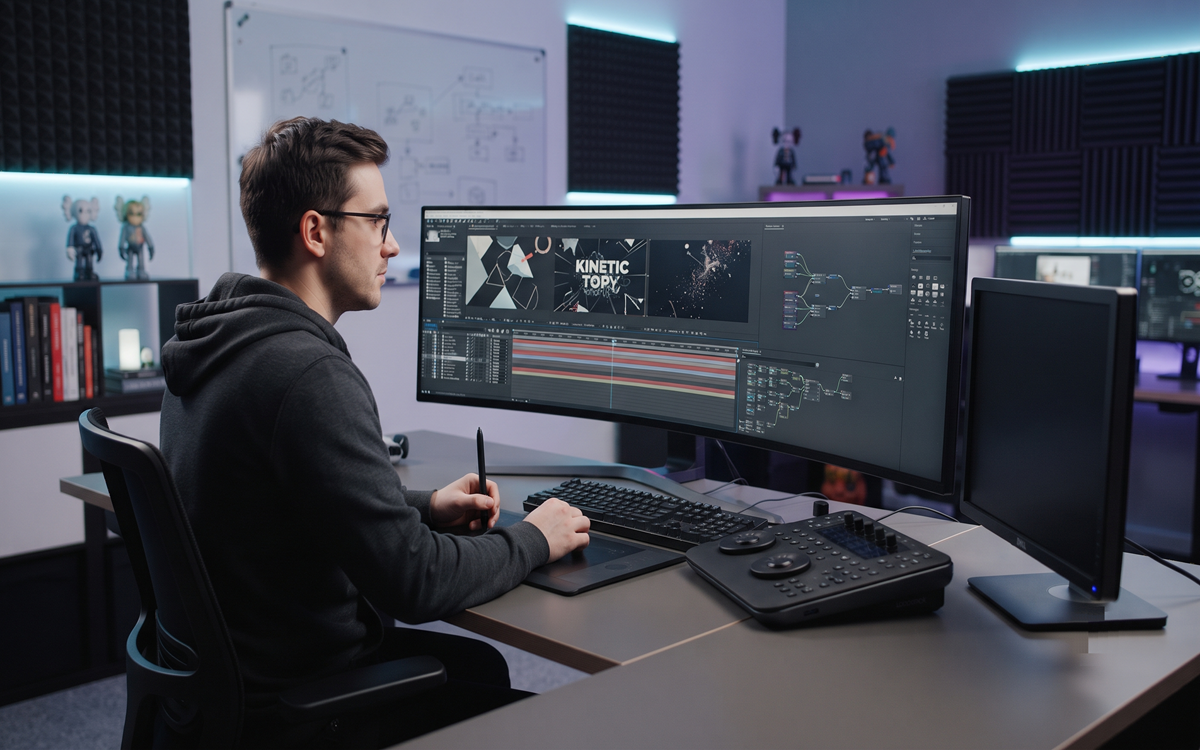
A practical look at five Motion Graphics tools for 2026: what each one does well, who it suits, and where it falls short.
Choosing Motion Graphics software in 2026 has less to do with raw power than with fit. Animating type for social posts, producing explainer videos and assembling 3D broadcast titles are differ
ent jobs, and a tool that suits one can get in the way of another.
Three questions usually settle it: is the work 2D or 3D, how much footage compositing is involved, and how much learning time do you have. Budget counts too, and 2026 has been kind there, with one professional animation app dropping its paid tier entirely. The five below cover layered 2D, procedural 2D, two routes into 3D, and node-based compositing.
Adobe After Effects: the default for layered 2D work
After Effects is where most commercial motion design still happens, and the market of plugins, templates and training assumes it. Shape layers, text animators and expressions carry most of the Motion Graphics load: kinetic typography, logo builds, infographics and interface-style animation. Rotoscoping, tracking and keying sit in the same app, so animation and footage work stay in one place.
Adobe spread its 2026 updates across several releases. Version 26.0 added parametric 3D meshes, Substance 3D materials and animatable variable font axes, 26.2 introduced an AI-assisted Object Matte that isolates subjects without hand rotoscoping, and 26.3 added depth of field to the Advanced 3D renderer.
It suits designers and video creators who want one app for animation and compositing. Access is subscription only through Creative Cloud, heavy projects grow slow to render, and the 3D toolset, improved as it is, does not replace dedicated 3D software.
Cavalry: procedural 2D animation, now free for individuals
Cavalry approaches 2D animation the way 3D artists think about scenes. Instead of keyframing every element by hand, you build systems: duplicators generate arrays of shapes, behaviours drive motion without expressions, and a real-time viewport plays back changes as you make them.
That pays off on repetitive, high-volume motion design: data-driven charts, generative patterns, campaigns needing dozens of sizes and language versions, and Lottie animations for apps and websites.
Licensing changed this year. Canva acquired Cavalry in February 2026, and version 2.7 in April removed the paid Professional tier, making the full app free for individuals, commercial work included, with organisations covered through paid Canva plans. The limits: it is 2D only, the tutorial and plugin community is far smaller than After Effects', and the procedural mindset takes a few days to click.
Cinema 4D: 3D built around motion design
Cinema 4D earned its place here through MoGraph, a procedural toolset built on the Cloner object with its Effectors and Fields, which animates hundreds of duplicated objects by rules rather than keyframes. The Academy recognised it with a Technical Achievement Award in 2019.
The 2026 releases added node-based Cloner distributions, including Edge, Rivet and UV Projection modes, plus a rebuilt UV editing workflow. Subscriptions include Redshift, Maxon's GPU renderer, so rendering is not a separate purchase.
Typical output is 3D title sequences, product visuals, abstract loops and broadcast packages, rendered in passes and finished in a compositor. It suits designers who need reliable 3D by the shortest route, though it is subscription only, wants a capable GPU, and still asks you to learn lighting, materials and cameras.
Blender: free 3D with a 2D animation side
Blender covers much of the same ground at no cost, under an open source licence. Geometry Nodes handle procedural modelling and animation, EEVEE gives real-time previews while Cycles handles final renders, and a compositor and video editor are built in.
Its more unusual advantage is Grease Pencil, a 2D drawing and animation system that works inside 3D space, making hybrid frame-by-frame and 3D looks practical in one file. Blender 5.2 LTS arrived in July 2026 with support running to 2028.
The meaningful difference from Cinema 4D is focus. Blender is a generalist covering sculpting, simulation, rigging and video, so the motion design path is less signposted, and Geometry Nodes are more technical than dropping in a Cloner. Best suited to students, freelancers and anyone building 3D skills without a budget.
DaVinci Resolve and Fusion: compositing without leaving the edit
DaVinci Resolve is better known for editing and colour, but the free version also ships with Fusion, a node-based compositor with 3D space, particles, tracking and text tools. Nodes describe an image as a connected graph rather than a stack of layers, which suits complex effects and reusable setups.
Resolve 21, released in June 2026, folded the Krokodove toolset into Fusion, adding more than 70 motion graphics tools, alongside audio-driven animation and Bezier keyframe easing. Fusion effects can now be adjusted from the keyframe editors on the Cut and Edit pages.
The free edition covers editing, colour, Fusion and audio, while Resolve Studio is a one-time purchase listed at 295 US dollars, though prices can change. A sensible pick for creators who need titles and effects next to a timeline, provided you accept the node graph and fewer ready-made templates.
Do you need 3D software for Motion Graphics?
For most 2D Motion Graphics work, no. Typography, logo animation, explainers and social content can be finished entirely in After Effects or Cavalry. 3D earns its learning curve when a client wants a product turned on screen, a camera travelling through a scene, or lighting and reflections that read as real.
How to choose the right Motion Graphics software
Start with what you deliver. For mainly 2D animation and compositing, After Effects or Cavalry will cover it, and Cavalry now costs nothing to test properly. For finished video with occasional effects, Resolve beats a second subscription. For regular 3D requests, the choice is between paying for MoGraph's speed and investing time in Blender.
Then weigh the practical constraints: your hardware, whether collaborators expect specific project files, and how many hours a week you can spend learning. Where the work ends up matters too: animation destined for large-format screens, projection mapping or immersive installations needs motion design planned around resolution and render time from the start.
Making the call
None of these five wins outright, because they solve different problems. The useful test is not which application is most capable but which one you will finish projects in: the tool that matches your output, runs on your machine, fits your budget and rewards the time you can give it.

ViitorX is a digital experience and immersive technology studio based in Ahmedabad, India. We design and engineer immersive experience centres, interactive environments, and digital storytelling systems for museums, events, enterprises, and cultural institutions. As part of the ViitorCloud group, we bring more than a decade of experience to the work of turning an idea into a space people can step into. Our work covers four areas. We create permanent immersive experience centres and interactive museum design installations that protect heritage and bring a collection to life as a digital museum. We build simulation-based learning and virtual reality training so teams can practise safely, without the cost or risk of real equipment. As a brand activation agency, we produce experiential marketing moments, 3D exhibition stall design, and product launch experiences for events and expos. And our Digital Experiences team builds 3D website design and immersive web environments that use motion and real-time interaction. Behind every project is a working knowledge of virtual reality development, AR and VR, holography, projection mapping, 3D hologram, and holographic projection systems. Our experience centre design helps corporate brands and visitor centres earn trust with the people who walk in. For government, heritage, and tourism bodies, our holographic digital twin and virtual tour work turns a public space into somewhere people want to visit. We have been trusted on the national and global stage, from G20 cultural showcases to flagship national missions. Our immersive work has been delivered for leading institutions including the Museum of Art & Photography (MAP), CSMVS Mumbai, Noida International Airport, and the Adani Centre of Excellence. Led by Founder & CEO Rohit Purohit and Co-Founder & CTO Vishal Rajpurohit, we stay close to the work from the first concept through design, engineering, and on-site delivery.





Comments (0)