5 Tips for Shooting Cinematic Mobile Video (Without Expensive Gear)
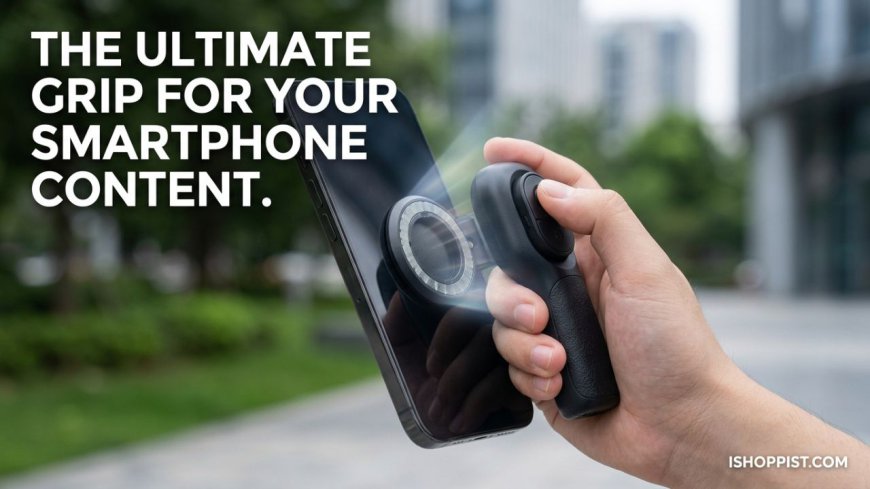
This piece highlights the Magnetic Detachable Smartphone Grip as a game-changer for mobile content creators. It focuses on solving common creator pain points—like shaky footage and hand cramps—by introducing the product's DSLR-like ergonomic feel, secure MagSafe connection, and a detachable Bluetooth shutter remote for seamless solo shooting.
 greta22
When I first started dipping my toes into mobile videography, I thought the secret to making my videos look like movies was buying a cinema camera. I spent hours researching lenses, lighting rigs, and stabilizers, convinced that my smartphone just wasn't cutting it.
I was wrong. The secret isn't the price tag of your camera; it is how you control it. Modern phones have incredible sensors, but they are held back by poor stabilization and awkward handling. Once I added the
If you want to create breathtaking, cinematic content using just the phone in your pocket, here are five practical tips that completely changed my workflow.
1. Master the "Ninja Walk" for Smoother Panning
Even with the best built-in electronic image stabilization, walking normally while filming creates a noticeable, jarring bounce in your footage. To fix this, filmmakers use the "ninja walk"—bending your knees slightly and rolling your feet from heel to toe as you step.
When you pair this movement with a dedicated physical handle like a magnetic camera grip, you create a dual-stabilization effect. Having a firm, ergonomic hold allows your wrist to act as a natural pivot point, smoothing out those micro-jitters seamlessly.
2. Lock Your Focus and Exposure
Have you ever noticed your video awkwardly brightening and darkening on its own when you move the camera? That is your phone’s auto-exposure panicking.
Before you hit record, tap and hold on your subject until the "AE/AF Lock" box appears on your screen. This locks your focus and lighting in place. Now, you can move, pan, and tilt without the camera constantly trying to readjust, giving your video a much more intentional, cinematic look.
3. Utilize Low-Angle Perspectives for Drama
Most people shoot everything from eye level because it is comfortable. But eye-level footage can feel repetitive and flat.
Try flipping your phone upside down and shooting from just a few inches off the ground. This instantly makes your subject look more heroic, dramatic, and visually interesting. Because a MagSafe connection allows you to rotate your phone instantly, switching to a low-angle vertical setup takes less than a second without messing around with complicated gear adjustments.
4. Fake a Slider Shot Using Your Environment
Cinematic videos love "slider shots"—where the camera moves perfectly sideways past an object. You don't need a tracks-and-rail system for this.
Simply place your phone grip flat on a smooth surface like a table, a handrail, or a bench. Use the physical handle to smoothly slide the phone across the surface. The weight distribution of a solid grip keeps the camera planted, giving you a flawlessly smooth tracking shot for free.
5. Film B-Roll with a Wireless Trigger
Good storytelling relies heavily on B-roll—those quick, atmospheric cutaway shots of you typing on a laptop, pouring a cup of coffee, or walking into a frame.
Filming these solo used to mean hitting record, running to get into position, and editing out the awkward beginning later. Now, I just set up my phone on a small tripod, step into the frame, and use the detachable Bluetooth remote hidden in my hand to start recording the exact moment I'm ready. It saves hours of editing time and keeps my energy focused on creating.
Ready to Level Up Your Content?
You don’t need a massive budget to make videos that look professional; you just need to think like a filmmaker and use tools that make your smartphone behave like a real camera. If you are ready to stop struggling with shaky footage and awkward angles, grab the