

Smart TV Box
A smart TV box is a convenient device that allows users to access online entertainment on a compatible television. It can turn a traditional TV into a smart entertainment system, providing access to streaming apps, online videos, music, and other digital content.
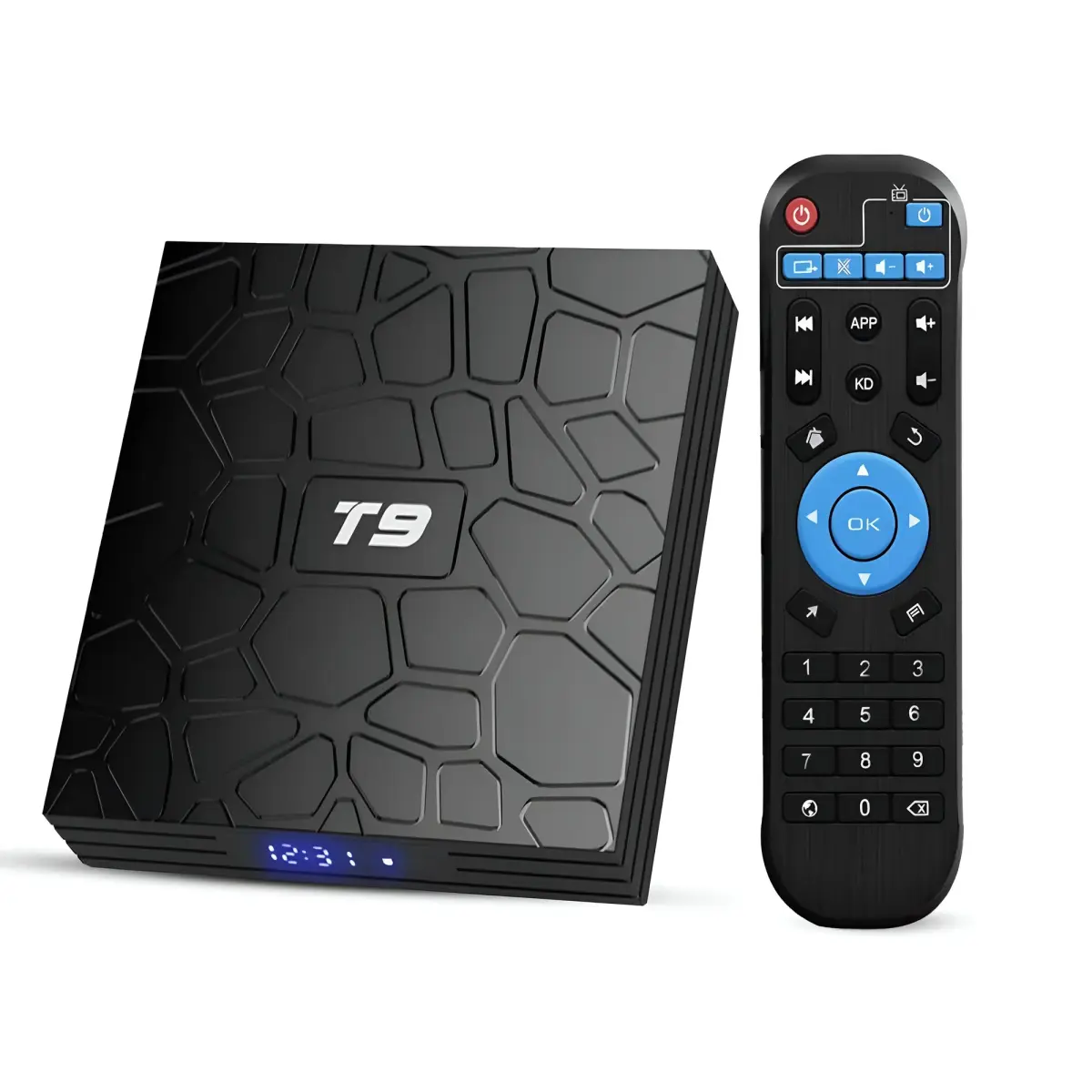
Features, Benefits, and Buying Guide
A smart TV box is a convenient device that allows users to access online entertainment on a compatible television. It can turn a traditional TV into a smart entertainment system, providing access to streaming apps, online videos, music, and other digital content. Whether you want to watch movies, enjoy your favorite shows, or stream videos from the internet, a smart TV box offers a practical solution for home entertainment.
What Is a Smart TV Box?
A smart TV box is a small electronic device that connects to a television through an HDMI port. It uses an internet connection, usually through Wi-Fi or Ethernet, to access compatible streaming services and applications.
Many smart TV boxes run Android TV or Google TV, while others use their own operating systems. Depending on the model, they may support voice search, screen casting, Bluetooth accessories, and high-resolution video playback.
A smart TV box can be especially useful for older televisions that do not have built-in smart features. Google TV offers streaming devices designed to add smart entertainment capabilities to compatible TVs.
Key Features of a Smart TV Box
Modern smart TV boxes offer a variety of features that can improve the viewing experience.
Streaming applications: Access supported apps for movies, television shows, music, and online videos. App availability varies by device and region.
High-resolution playback: Some models support Full HD, 4K Ultra HD, and HDR content. Your television, internet connection, and streaming service must also support the selected format.
Voice control: Certain devices include voice-enabled remotes that allow users to search for content and control compatible features using voice commands.
Screen casting: Compatible smart TV boxes allow users to cast videos, photos, and other supported content from smartphones or tablets to their televisions.
Wireless connectivity: Wi-Fi and Bluetooth make it easier to connect to the internet and pair compatible accessories, such as headphones or controllers.
Benefits of Using a Smart TV Box
One of the biggest advantages of a smart TV box is that it can upgrade an existing television without requiring you to purchase a new smart TV.
Other benefits include:
- Access to compatible streaming applications
- Convenient entertainment from a single device
- Simple navigation with a remote control
- Support for online videos and music
- Screen casting on compatible devices
- Multiple video resolution options, depending on the model
- Potential savings compared with replacing a working television
These features make smart TV boxes suitable for families, students, movie enthusiasts, and people who want more entertainment options at home.
How to Choose the Right Smart TV Box
Before buying a smart TV box, consider your entertainment needs and television specifications.
1. Video resolution: Choose a device that supports your TV's resolution. If you own a 4K television, look for a compatible 4K model.
2. Operating system: Check whether the device uses Google TV, Android TV, or another platform. Confirm that your preferred applications are available.
3. Internet connectivity: Look for reliable Wi-Fi support or an Ethernet connection if you prefer a wired network.
4. Performance and storage: A capable processor, sufficient memory, and adequate storage can improve navigation and app performance.
5. Remote control: Consider features such as voice search, shortcut buttons, and Bluetooth connectivity.
6. Security and updates: Choose a reputable manufacturer that provides software updates and clearly lists device specifications.
How to Set Up a Smart TV Box
Setting up a smart TV box is generally straightforward.
- Connect the box to an available HDMI port on your television.
- Connect the device to its power supply.
- Turn on the television and select the correct HDMI input.
- Follow the on-screen instructions.
- Connect to Wi-Fi or Ethernet.
- Sign in to the required account and install supported applications.
For the best experience, use a stable internet connection and keep the device's software updated. Some streaming services also require separate subscriptions.
Conclusion
A smart TV box is a useful way to expand the entertainment features of a compatible television. With streaming apps, wireless connectivity, voice control, and support for different video resolutions, it can make watching online content more convenient. By comparing operating systems, performance, connectivity, resolution support, and software updates, you can choose a smart TV box that suits your budget and entertainment needs.

SEO Specialist skilled in link building, guest posting, backlinks, outreach, content writing, and press releases. I help global brands build quality backlinks, secure media placements, improve online authority, and drive organic traffic.















Comments (0)