

Free SSL vs Paid SSL: Do You Still Need to Buy an SSL Certificate in 2026/27?
Free SSL is easy, but is it enough? Compare free and paid SSL certificates, see when to buy, and why a wildcard SSL can simplify renewals in 2026.
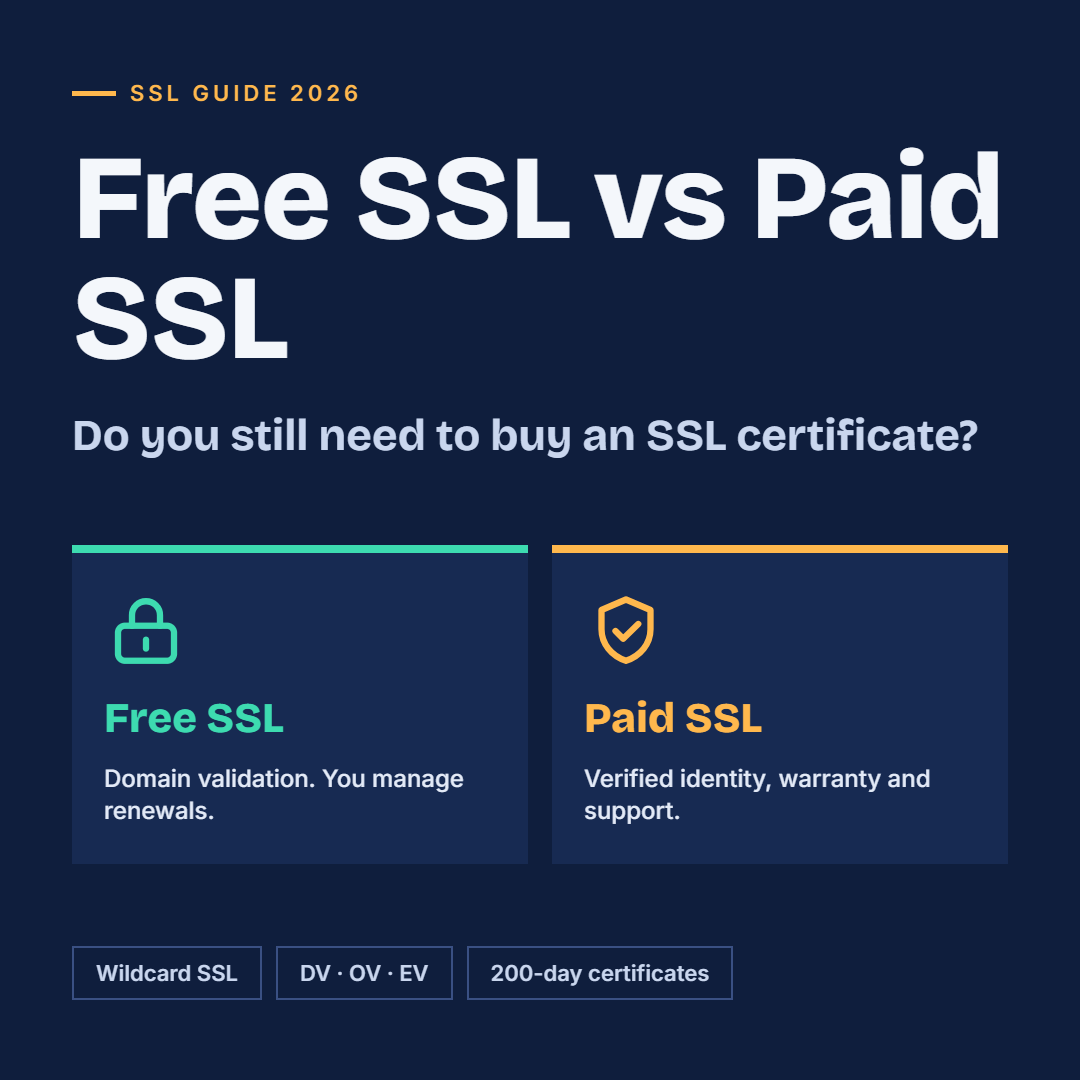
Every website owner eventually asks the same question: if free SSL certificates exist, why would anyone buy SSL certificate? It is a fair question. Free certificates are easy to get, most hosting panels install them in one click, and browsers show the same padlock for both.
But the answer in 2026 is not a simple yes or no. Certificate rules are changing fast: since March 15, 2026, no public certificate can be valid for more than 200 days, and the limit keeps shrinking until 2029. That makes the choice between free and paid SSL about more than price. It is about validation, support, warranty, automation and how much risk your business can accept.
In this guide you will learn how free and paid SSL really differ, when a free certificate is enough, when you should buy one from a trusted SSL certificate provider, and why many growing sites choose to buy a wildcard SSL instead of managing certificates one by one.
What Is a Free SSL Certificate and How Does It Work?
A free SSL certificate is a digital certificate issued at no cost by a certificate authority (CA). The best-known example is Let's Encrypt, and many hosting companies bundle similar certificates into their plans.
Free certificates are almost always Domain Validated (DV). The CA only checks that you control the domain, usually through a file upload or a DNS record. No company paperwork is reviewed, and the certificate is issued in minutes through automation.
The encryption itself is the same strong TLS encryption used by paid certificates. If your only goal is to move from HTTP to HTTPS and remove the "Not Secure" warning, a free certificate does that job.
The real differences are in what surrounds the encryption: who is verified, who supports you, what happens when something breaks, and how many domains you can protect.
Free SSL vs Paid SSL: Key Differences at a Glance
Here is a side-by-side view of what you get with each option.
|
Feature |
Free SSL |
Paid SSL (from an SSL certificate provider) |
|---|---|---|
|
Encryption strength |
Strong TLS encryption |
Same strong TLS encryption |
|
Validation levels |
Domain Validation (DV) only |
DV, Organization (OV) and Extended (EV) |
|
Business identity shown |
No |
Yes, with OV and EV |
|
Warranty |
Usually none |
Yes, often up to hundreds of thousands or millions of dollars |
|
Customer support |
Community forums, hosting help |
24/7 phone, chat and email support |
|
Wildcard and multi-domain |
Limited, depends on the CA and setup |
Widely available, with simple management |
|
Renewal and automation |
Self-managed, needs working automation |
Reminders, managed renewal and dashboards |
|
Site seal |
No |
Yes, on most plans |
|
Best for |
Blogs, test sites, personal projects |
Business sites, online stores, login and payment pages |
The padlock looks the same in both cases. What changes is the trust, protection and support behind it.
The Real Limits of Free SSL Certificates
Free SSL is useful, but it has limits that matter once a website earns money or handles customer data.
1. No business identity verification
A DV certificate proves only that someone controls the domain. It does not prove who runs the business. Visitors who check certificate details see no company name, which weakens trust on checkout, login and lead-generation pages. Paid OV and EV certificates verify your organization.
2. No warranty and limited support
Paid certificates usually come with a warranty and direct support from the SSL certificate provider. If an installation fails at midnight or a certificate chain breaks, you can reach a human. With free SSL you rely on documentation and forums.
3. Renewal is your responsibility
Free certificates depend on automation. Let's Encrypt certificates already use a 90-day lifespan, so a broken renewal script can take your site down within weeks. This risk grows as the industry moves to shorter certificate lifetimes.
4. Shorter lifespans are coming for everyone
The CA/Browser Forum approved a schedule that cut the maximum validity to 200 days on March 15, 2026. It drops to 100 days from March 15, 2027 and to 47 days from March 15, 2029. Free certificates will feel that change too, since a 47-day limit applies to all publicly trusted certificates. Manual renewal stops being practical, whichever route you choose.
5. Complex setups need more than a basic free certificate
Sites with many subdomains, several servers, load balancers or hosting in different places often need wildcard or multi-domain coverage and centralized management. Paid plans are built for this.
When Is a Free SSL Certificate Enough?
Free SSL is a smart choice in several situations:
- Personal blogs and portfolios that collect no payments or sensitive data
- Test, staging and development sites that need HTTPS only for functionality
- Small static websites with a single domain and low business risk
- Internal tools where a business identity badge is not needed
If your hosting provider handles installation and renewal automatically, and downtime would cost you little, free SSL is a reasonable starting point. Just make sure someone checks the expiry date regularly, even when renewal is automated.
When Should You Buy an SSL Certificate?
You should buy an SSL certificate from a recognized provider when any of these apply:
- You run an online store or take payments. Customers need to trust your checkout, and a warranty and verified identity add real protection.
- You collect logins, personal data or leads. OV or EV validation shows visitors a verified business is behind the site.
- You manage many subdomains or servers. Centralized management saves hours and prevents surprise expiries.
- Compliance matters. Finance, healthcare, education and enterprise buyers often expect OV or EV certificates and vendor support.
- Downtime is expensive. Priority support and managed renewals reduce the cost of a failed renewal.
- You want a site seal. A visible trust seal can reassure first-time visitors on conversion pages.
The cost of a paid certificate is small compared with one lost sale, one browser warning or one hour of emergency troubleshooting.
Should You Buy a Wildcard SSL Instead?
A wildcard certificate secures your main domain and every first-level subdomain with a single certificate. For example, one certificate for *.yourstore.com covers shop.yourstore.com, blog.yourstore.com and app.yourstore.com.
When you buy wildcard SSL, you get:
- One certificate, one renewal date. No more tracking a separate expiry for every subdomain.
- Instant coverage for new subdomains. Launch a new service without ordering another certificate.
- Lower management effort. This matters more as certificate lifetimes shrink and renewals become frequent.
- Cost savings at scale. Once you have several subdomains, a wildcard usually costs less than separate certificates.
Wildcard certificates do have trade-offs. They cover only one level of subdomains, and the private key is shared across servers, so it needs careful protection. Free wildcard certificates are possible with some CAs, but they require DNS-based validation and reliable automation. A paid wildcard from an SSL certificate provider adds support, a warranty and easier management.
If you run more than three or four subdomains, a wildcard is usually the more practical path.
How to Choose the Right SSL Certificate Provider
Not every SSL certificate provider offers the same value. Use this checklist before you buy:
- Browser and device compatibility. The certificate should be trusted by all major browsers, mobile devices and operating systems.
- Validation options. Make sure DV, OV and EV are available, so you can upgrade as your business grows.
- Certificate types. Look for single-domain, wildcard and multi-domain (SAN) options in one place.
- Support quality. Check for fast chat, phone or email help, and help with installation.
- Renewal and automation support. With shorter validity periods, API access, auto-renewal and expiry alerts are no longer optional.
- Warranty and refund policy. A clear warranty and a fair refund window show the provider stands behind its product.
- Transparent pricing. Compare the real price for the term you need, and check what happens at renewal.
- Reputation. Read independent reviews and confirm the provider works with well-known certificate authorities.
A reliable provider saves you time every time the certificate renews, and with 200-day certificates that now means more than once a year.
Final Verdict: Free or Paid SSL?
Free SSL is a good starting point, and for simple personal sites it may be all you ever need. But as soon as your website represents a business, handles customer data or runs on several subdomains, the value of a paid certificate becomes clear: verified identity, a warranty, expert support and easier management.
With certificate lifetimes shrinking toward 47 days, reliable renewal and support matter more every year. Choosing the right SSL certificate provider now saves you time, risk and stress later.
Ready to protect your website? Compare plans, buy your SSL certificate and, if you run multiple subdomains, buy a wildcard SSL that covers them all under one renewal.
Frequently Asked Questions About Free and Paid SSL
I work in the SSL/TLS and cybersecurity space at Certera, an SSL certificate provider. My interests include PKI, certificate lifecycle management, code signing, and practical ways to improve web security and automate certificate renewals.












Comments (0)