

SISGAIN’s Guide to Identifying Business Automation Opportunities Across Departments
Discover how to identify business automation opportunities across finance, HR, sales, marketing, and operations to improve efficiency and productivity.

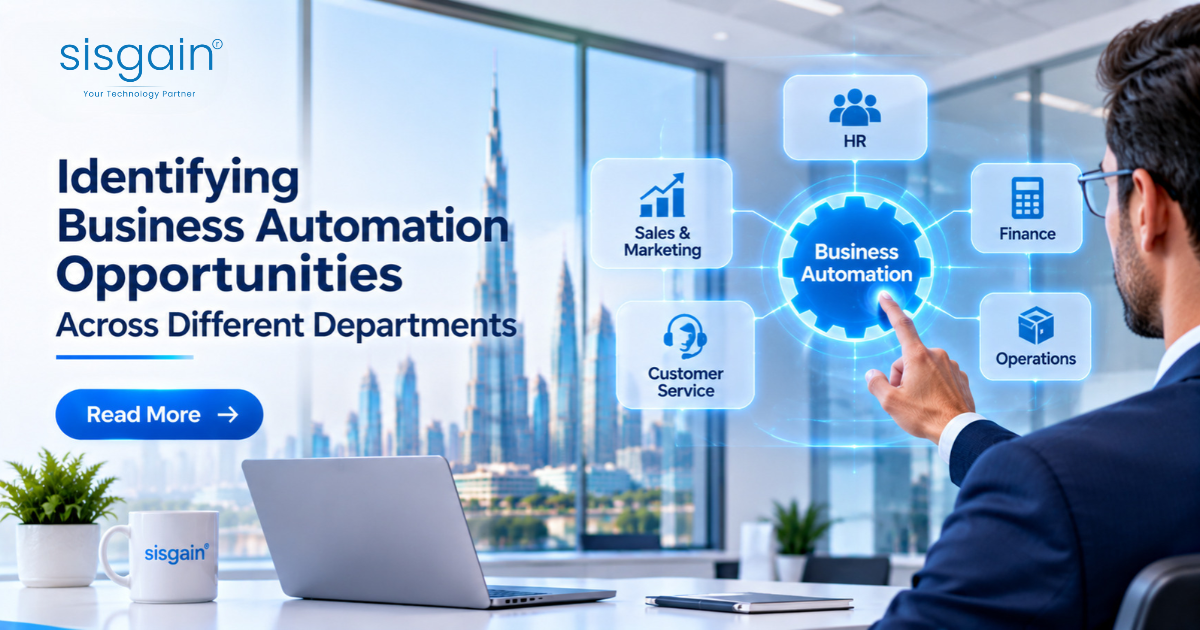
Business automation is no longer limited to repetitive administrative tasks. Organisations across the UAE are increasingly examining how technology can improve the way their departments communicate, process information, manage resources, and make decisions. From finance and human resources to sales, customer service, operations, and procurement, almost every business function contains activities that could be performed more efficiently through automation.
However, identifying the right opportunities is not always straightforward. Automating every manual task does not necessarily improve business performance. Some processes require human judgement, while others may be inefficient because of outdated procedures rather than a lack of technology. Businesses must therefore understand how work moves across departments, where delays occur, and which activities consume resources without contributing enough value.
For enterprises planning digital transformation, the starting point should be a structured assessment of existing workflows. This helps decision-makers distinguish between tasks that can be automated, processes that need redesign, and activities where human involvement remains essential.
This guide explains how businesses can identify automation opportunities across different departments, evaluate their potential value, and build a practical automation strategy with support from technology partners such as SISGAIN Technologies.
Why Businesses Need to Identify Automation Opportunities Across Departments
Many organisations introduce software to address individual departmental requirements. Finance may use accounting applications, sales teams may depend on CRM platforms, HR may manage employee records through a separate system, and customer service may operate through another application.
Although these tools can improve individual activities, disconnected systems often create additional work. Employees may have to enter the same information multiple times, transfer data between applications, request approvals through email, or prepare reports manually.
These inefficiencies are not always visible when departments are assessed independently. A finance team may experience delays because purchase approvals are handled manually by procurement. Similarly, customer service representatives may struggle to resolve enquiries because customer information is spread across different platforms.
Identifying automation opportunities across departments allows businesses to examine the complete operational process rather than focusing on isolated tasks. It can reveal where information gets delayed, which activities create unnecessary administrative work, and how connected systems could improve coordination.
For UAE enterprises managing multiple branches, business units, suppliers, and customer channels, this broader perspective is particularly important. Automation should support the way the organisation operates as a whole, not simply make one department faster while leaving other processes unchanged.
1. Start by Mapping Existing Business Workflows
Before selecting automation software, businesses should understand how their current processes function. This means documenting the steps involved in completing routine activities, identifying the employees responsible, and examining how information moves between departments.
For example, consider an employee reimbursement process. An employee submits an expense claim, a manager reviews it, finance verifies the supporting documents, and the payment is processed. If each step requires manual email communication and repeated data entry, the organisation may experience delays and inconsistent records.
Mapping the process makes these issues easier to identify. It also helps determine whether the problem can be solved through automated document collection, approval notifications, validation rules, or integration with accounting software.
Businesses should examine the following aspects of each workflow:
-
How frequently is the activity performed?
-
How many employees or departments are involved?
-
Which steps require repetitive manual input?
-
Where do approvals or handovers create delays?
-
Is information entered more than once?
-
Which applications are used to complete the process?
-
What happens when an error or exception occurs?
-
Does the process require human judgement or approval?
The purpose is not to automate every step immediately. It is to understand the process well enough to identify where automation can produce a meaningful improvement.
2. Finance and Accounting: Reduce Repetitive Financial Administration
Finance departments manage a considerable volume of structured information, making them a useful starting point for automation assessments. Activities such as invoice processing, expense verification, payment reminders, account reconciliation, and financial reporting often involve recurring procedures.
Invoice management is one example. In a manual environment, employees may receive invoices through email, review the documents, enter information into accounting software, obtain approvals, and update payment records. Each stage requires time and can introduce errors when information is transferred between systems.
Automation can help capture invoice details, validate selected fields, route documents for approval, and update relevant records. More advanced solutions can use document recognition and AI to extract information from invoices and identify entries that require additional review.
Expense management offers another opportunity. Employees can submit claims through a central application, attach receipts, and receive updates as the request moves through the approval process. Finance teams can apply predefined rules to identify missing information, duplicate submissions, or claims that require manual verification.
Financial reporting can also benefit from automation. Instead of collecting figures from several spreadsheets, businesses can connect relevant systems and generate reports using consistent data sources.
The objective should be to reduce administrative effort while maintaining appropriate financial controls. Payment authorisation, exception handling, and sensitive financial decisions should continue to involve authorised personnel.
3. Human Resources: Improve Employee Administration and Recruitment
Human resources departments manage processes that extend from recruitment and onboarding to attendance, leave management, performance reviews, and employee records. Many of these activities involve repeated communication, document collection, and approval procedures.
Recruitment provides a clear example. HR teams may receive applications through several channels, review candidate information, coordinate interview schedules, send reminders, and update applicants about their progress. Automation can organise incoming applications, acknowledge submissions, coordinate interview availability, and maintain candidate records.
Employee onboarding is another area where disconnected processes can create unnecessary delays. A new employee may need to submit personal information, provide documents, complete forms, receive system access, and attend orientation sessions. If these activities are managed through separate emails and spreadsheets, HR teams must repeatedly follow up with different departments.
A connected onboarding workflow can trigger tasks for HR, IT, administration, and the relevant department once a candidate accepts an offer. Each team can receive the information and actions required for its responsibilities.
Leave requests and attendance management can also be streamlined through employee self-service portals. Staff can submit requests, managers can approve them, and HR records can be updated automatically according to predefined policies.
Automation should support HR professionals rather than replace their judgement. Interviews, employee relations, performance discussions, and sensitive decisions require human understanding and oversight.
4. Sales and Marketing: Improve Lead Management and Campaign Coordination
Sales and marketing teams often handle information from websites, social media, email campaigns, advertising platforms, events, and direct enquiries. When these channels are not connected, leads can be missed, duplicated, or followed up too late.
Lead management is one of the most valuable areas to examine. Businesses can automate the collection of enquiry details, assign leads to the appropriate sales representatives, and trigger follow-up reminders based on defined criteria.
For example, when a prospective customer submits an enquiry through a website, the information can be added to a CRM system. The system can categorise the enquiry, notify the relevant sales team, and record subsequent interactions. This reduces the need for employees to transfer information manually between applications.
Marketing teams can also automate campaign-related activities. These may include scheduled communications, audience segmentation, lead nurturing, campaign notifications, and performance reporting. Automated workflows can help ensure that customers receive relevant information based on their interactions and preferences.
AI-supported tools can provide additional assistance by analysing customer interactions, identifying patterns in lead activity, and helping sales teams prioritise follow-ups. However, automated recommendations should be evaluated against actual sales requirements and customer context.
Businesses looking to introduce intelligent capabilities into their sales and marketing operations can explore an AI Development Company Dubai to assess how AI-powered applications, predictive analytics, and intelligent workflows can support their existing business systems.
The key is to connect automation with the customer journey. Faster lead assignment is useful, but the larger objective is to improve the consistency and quality of communication from the first enquiry through to conversion.
5. Customer Service: Streamline Enquiries and Support Requests
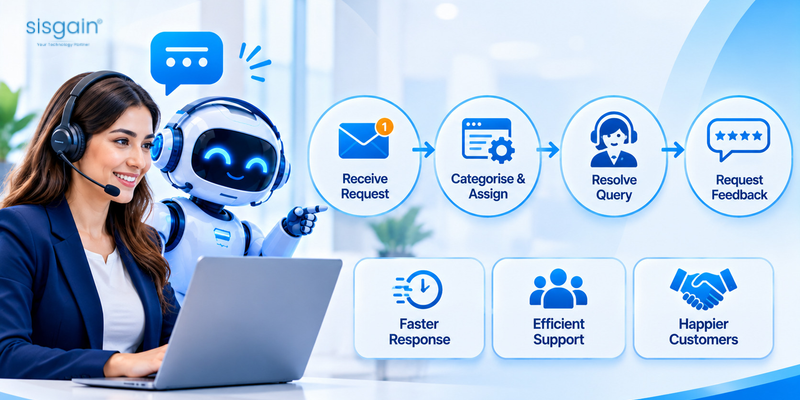
Customer service departments frequently manage large volumes of similar enquiries across telephone, email, websites, messaging platforms, and social media. Without a connected support process, requests may be assigned incorrectly, responses may be delayed, and customers may have to repeat information.
A structured automation assessment should examine how support requests are received, categorised, assigned, escalated, and resolved.
For example, an automated ticketing workflow can create a support case whenever a customer submits a request. The system can classify the enquiry based on predefined categories, direct it to the relevant team, and notify employees when a response is required.
AI-powered chatbots can assist with common questions involving business hours, service information, appointment procedures, order updates, and basic troubleshooting. When an enquiry requires specialised assistance, the chatbot should provide a clear route to a human representative.
Customer service automation can also support follow-up communication. Once a ticket is resolved, the system can request feedback, update the customer's record, and maintain a history of previous interactions.
However, automation should not make customer support feel impersonal. Complaints, unusual requests, sensitive situations, and complex problems often require direct communication with an experienced employee.
The best approach is to automate routine coordination and information retrieval while keeping human support available when customers need it.
6. Operations and Administration: Identify Bottlenecks in Daily Activities
Operations departments coordinate the activities that keep an organisation functioning. Depending on the industry, these may include inventory control, task allocation, service scheduling, production monitoring, logistics coordination, and internal reporting.
Many operational processes depend on information being transferred between employees, teams, branches, and external partners. When updates are recorded manually or communicated through disconnected channels, managers may have difficulty understanding the current status of work.
For example, a business managing maintenance requests across multiple locations may receive requests through emails and telephone calls. Employees then assign technicians, communicate schedules, update job status, and record completion details. A central workflow system can organise these activities and provide visibility into outstanding requests.
Inventory management offers another opportunity. Automated alerts can notify responsible employees when stock reaches a defined threshold. The system can also support purchase requests, stock movement records, and inventory reporting, subject to appropriate verification and approval.
In logistics, automation may help coordinate shipment updates, delivery notifications, document processing, and exception alerts. These functions can reduce repeated communication and improve visibility across operational activities.
Businesses should prioritise processes where delays affect service delivery, resource utilisation, or customer commitments. Automating low-impact administrative tasks may save time, but improving a critical operational bottleneck can create greater business value.
7. Procurement and Supply Chain: Simplify Purchasing and Vendor Coordination
Procurement involves several connected activities, including purchase requests, supplier communication, quotation comparisons, purchase orders, goods receipt, and invoice verification. When these activities are handled manually, businesses may face slow approvals, missing documents, and inconsistent supplier records.
A procurement automation assessment should begin by reviewing how purchase requirements are submitted and approved. For example, employees may currently send purchase requests through email, after which managers and procurement teams exchange messages before an order is placed.
A centralised workflow can standardise request submission, route approvals according to spending limits, and maintain a record of decisions. Once approved, the request can move to the purchasing stage and connect with the relevant supplier or inventory system.
Supplier management can also benefit from automation. Businesses can maintain centralised vendor records, track document expiry dates, schedule reminders, and monitor outstanding requests.
For organisations working with multiple suppliers across different locations, automated notifications and document tracking can reduce the effort involved in routine coordination.
However, supplier selection, contract negotiations, risk assessments, and strategic purchasing decisions require human evaluation. Automation should make the supporting information easier to manage rather than remove accountability from procurement teams.
8. IT and Technical Support: Automate Routine Service Management
IT departments manage user access, technical support requests, software updates, device administration, system monitoring, and incident response. Many of these activities follow defined procedures and can be assessed for automation.
Password reset requests, access provisioning, software installation approvals, and routine support tickets are common examples. Instead of handling every request manually, IT teams can use service management workflows to collect information, verify permissions, assign tasks, and update request status.
System monitoring can also generate alerts when predefined performance or availability conditions occur. These alerts can be routed to the appropriate technical team for investigation.
Automated onboarding and offboarding workflows are particularly useful because they connect HR updates with IT responsibilities. When an employee joins or leaves the organisation, authorised tasks can be triggered for account creation, access changes, equipment allocation, and account deactivation.
Security-related automation requires careful controls. Access permissions, privileged accounts, incident response, and changes to critical systems should follow approved policies and include appropriate human oversight.
9. How to Prioritise Automation Opportunities Across Departments
After reviewing departmental workflows, businesses may identify more potential automation projects than they can implement at once. Prioritisation is therefore essential.
A useful assessment should consider the frequency of the task, time spent completing it, number of employees involved, error rates, operational impact, implementation complexity, and expected return.
For example, automating a task performed hundreds of times every week may provide more value than automating an activity completed only a few times each month. Similarly, a process that regularly delays customer orders may deserve attention before a minor internal administrative task.
A simple prioritisation framework can help:
| Evaluation factor | Questions to consider |
|---|---|
| Frequency | How often is the process performed? |
| Time consumption | How much employee time does it require? |
| Repetition | Does it involve predictable, recurring steps? |
| Error potential | Are manual mistakes common or costly? |
| Business impact | Does the process affect revenue, customers, or service delivery? |
| Integration needs | Which systems must exchange information? |
| Implementation effort | How much development or configuration is required? |
| Measurable value | Can improvements be tracked using clear indicators? |
Businesses can score each process against these factors and shortlist the strongest candidates. The first automation project should ideally have a manageable scope, clear ownership, and measurable outcomes.
10. How Enterprise AI Automation Supports Connected Business Operations
Traditional workflow automation generally follows predefined rules. It works well when processes involve predictable actions, clear conditions, and structured information.
AI-supported automation can extend these capabilities when tasks involve unstructured documents, natural language, classification, summarisation, or pattern recognition. For example, AI may assist with extracting information from documents, categorising customer enquiries, summarising support conversations, or helping employees retrieve information from internal knowledge sources.
However, AI is not necessary for every automation opportunity. A simple approval workflow may be more reliable and cost-effective when built using conventional rules rather than a complex AI model.
Enterprises should assess whether a task requires rule-based automation, AI-assisted processing, or a combination of both. The decision should consider data quality, process complexity, accuracy requirements, security, integration, and the consequences of an incorrect output.
Businesses exploring wider automation strategies can learn how Enterprise AI automation can support operational efficiency through intelligent workflows and connected business applications.
The most effective implementations combine appropriate technology with clearly defined processes and employee oversight. This helps organisations avoid introducing unnecessary complexity while making better use of automation where it offers practical value.
11. Common Mistakes Businesses Should Avoid When Identifying Automation Opportunities
One common mistake is automating a process without first understanding why it is inefficient. If a workflow contains unnecessary approval stages or unclear responsibilities, adding automation may simply make an ineffective process run faster.
Another mistake is selecting technology before defining business requirements. A platform may offer advanced features, but those capabilities have limited value if they do not address the organisation's actual operational challenges.
Businesses should also avoid treating every manual task as a suitable automation candidate. Activities involving negotiation, complex judgement, relationship management, and sensitive decisions may require substantial human involvement.
Poor integration planning can create further problems. When automated workflows depend on inconsistent data or disconnected applications, errors can move between systems more quickly. Data quality and system compatibility should therefore be assessed before implementation.
Finally, organisations should not measure success only by the number of automated tasks. More useful indicators include processing time, error frequency, employee workload, customer response time, approval delays, and overall operating costs.
How SISGAIN Helps Businesses Identify and Implement Automation Opportunities
Identifying automation opportunities requires more than selecting software. Businesses need to understand their workflows, evaluate existing technology, define measurable objectives, and determine how different systems should work together.
SISGAIN Technologies supports organisations seeking to improve their digital operations through software development, AI solutions, and business process automation. The appropriate solution depends on the organisation's industry, existing systems, operational priorities, and technical requirements.
A structured approach begins with examining current business processes and identifying activities that involve repeated manual work, unnecessary handovers, disconnected information, or avoidable delays. These findings can then be used to define the scope and priorities of an automation initiative.
Organisations evaluating Business Process Automation Services Dubai can explore how connected workflows and application integrations may help streamline routine business activities across departments.
The implementation process should also account for system compatibility, access permissions, data management, testing, employee adoption, and ongoing maintenance. These factors help ensure that automation supports actual business requirements rather than creating another disconnected technology layer.
For enterprises considering AI-powered functionality, the focus should remain on selecting appropriate use cases and establishing suitable controls. Not every workflow needs artificial intelligence; the right technology is the one that solves the identified problem reliably and sustainably.
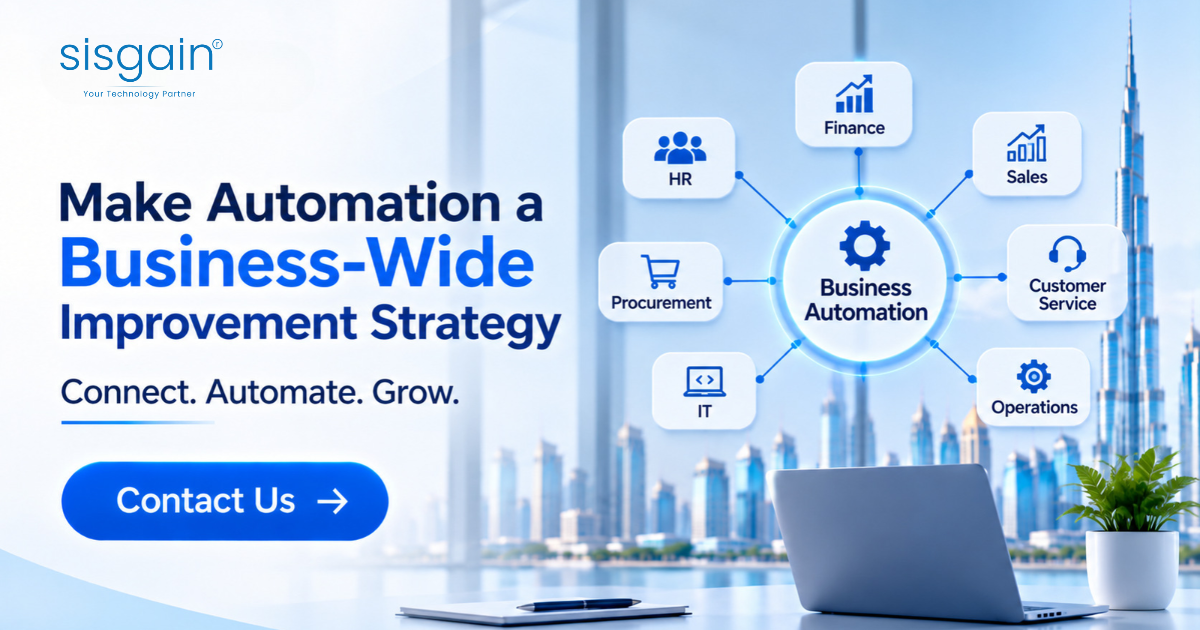
Conclusion: Make Automation a Business-Wide Improvement Strategy
Identifying automation opportunities across different business departments begins with understanding how work is currently performed. Finance, HR, sales, customer service, operations, procurement, and IT all contain processes that may benefit from better workflows, connected applications, and intelligent tools.
The most effective strategy is not to automate everything at once. Businesses should map existing processes, identify recurring bottlenecks, evaluate their operational impact, and prioritise opportunities based on measurable value.
For UAE enterprises, this approach can support more consistent operations, improve coordination between departments, reduce unnecessary administrative work, and create a stronger foundation for digital growth.
With a clear implementation strategy and the right technology partner, automation can become more than an isolated efficiency project. It can help build a connected business environment in which employees spend less time managing repetitive processes and more time focusing on decisions, customers, and business development.
Frequently Asked Questions
1. How can a business identify processes that are suitable for automation?
A business should examine processes that involve frequent repetition, manual data entry, predictable steps, recurring approvals, or regular information transfers between systems. It should also consider the time required, error frequency, number of employees involved, and impact on business operations. Mapping workflows is a useful first step before selecting automation technology.
2. Which business departments benefit most from automation?
Finance, HR, sales, marketing, customer service, procurement, operations, and IT can all benefit from automation. The most suitable starting point depends on the organisation's processes. Finance may prioritise invoice handling, while HR may focus on onboarding and leave management. Customer service may benefit from ticket routing and automated responses to routine enquiries.
3. What is the difference between traditional automation and AI-powered automation?
Traditional automation follows predefined rules to perform predictable tasks, such as routing approvals or sending notifications. AI-powered automation can additionally support activities involving documents, natural language, classification, summarisation, and pattern recognition. Businesses should choose between them based on the task's complexity, data requirements, accuracy needs, and expected value.
4. How should businesses prioritise automation projects?
Businesses should evaluate automation opportunities based on task frequency, employee time, error rates, operational impact, implementation complexity, integration requirements, and potential return. Starting with a clearly defined process that is relatively easy to implement and measure can help organisations demonstrate value before expanding automation to other departments.
5. Can small and medium-sized businesses benefit from departmental automation?
Yes. Small and medium-sized businesses can automate practical activities such as invoice processing, appointment scheduling, customer enquiries, employee onboarding, lead follow-ups, and internal approvals. They do not need to automate every department simultaneously. Starting with high-frequency tasks that consume significant employee time can help them improve efficiency without taking on an unnecessarily large technology project.
















Comments (0)