

How to Choose Between Different Clover Credit Card Machine Models

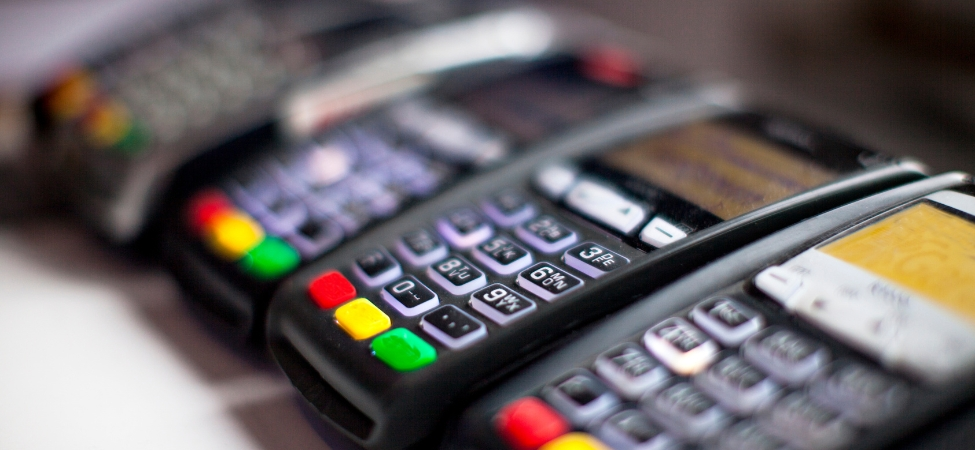
Choosing the right payment machine is an important decision for any business. Whether you run a retail store, restaurant, café, salon, or mobile service business, having a reliable payment system can make everyday transactions easier. However, with several models available, finding the right option can sometimes be difficult.
A Clover Credit Card Machine gives businesses a convenient way to accept card payments and manage daily sales. Depending on the model, it can also provide useful features such as sales reports, inventory tracking, employee management, and customer management tools.
Each Clover model is designed for different business needs. Some are better suited to fixed checkout counters, while others are made for businesses that need to accept payments at tables, during deliveries, or at different locations.
Understanding the features and differences between these machines can help business owners make a better decision. This guide explains the main Clover models and the important things to consider before choosing one.
Understanding Different Clover Credit Card Machine Models
Before choosing a payment machine, it is helpful to understand what each model offers. Although Clover devices share a common payment platform, they differ in size, features, and how they are used.
Some models are designed for basic payment processing, while others offer additional tools to help manage business operations.
Here are some popular Clover models and the types of businesses they can support.
Clover Go for Convenient Mobile Payments
Clover Go is a practical option for small businesses and independent professionals who need a simple way to accept payments while working away from a fixed checkout counter.
It connects with a compatible smartphone or tablet through a payment application. This allows business owners to process transactions without needing a larger countertop system.
Clover Go can be useful for:
-
Freelancers and independent professionals.
-
Home service providers.
-
Small businesses with occasional card payments.
-
Vendors working at markets and events.
-
Businesses that regularly visit customers.
Its biggest advantage is portability. Business owners can accept payments at different locations without carrying a complete POS setup.
However, businesses should consider their need for additional features. If they require printed receipts, barcode scanning, or more advanced inventory tools, another Clover model may be a better fit.
Clover Flex for Businesses That Need Mobility
Clover Flex is a handheld payment device designed for businesses that need more features and flexibility than a basic card reader. This Clover Credit Card Machine is a practical option for businesses that need to accept payments in different locations rather than relying on a fixed checkout counter.
It supports different payment methods, including magnetic stripe cards, EMV chip cards, and contactless payments. Its touchscreen design makes it easy for employees to process transactions while moving around the business.
Restaurants can use Clover Flex to collect payments directly at customer tables. Retail employees can accept payments on the shop floor, while service professionals can use it when visiting customers.
Depending on the configuration, its features can include a built-in receipt printer, camera, barcode scanning, and wireless connectivity.
The main benefit of Clover Flex is that it combines payment processing with useful business tools in one portable device.
It is worth considering for businesses where employees regularly move between different areas or where customers prefer paying without visiting a fixed checkout counter.
Clover Mini for Small Countertop Spaces
Clover Mini is a compact countertop payment system designed for businesses that want a dedicated checkout device without taking up too much space.
It features a touchscreen and a built-in receipt printer. Employees can use it to process payments and manage different POS activities from one device.
This model can be a good option for:
-
Small retail shops.
-
Coffee shops and cafés.
-
Beauty salons and spas.
-
Professional service businesses.
-
Businesses with limited counter space.
One of the main advantages of Clover Mini is its balance of size and functionality. It offers more features than a basic card reader while remaining compact enough for smaller checkout areas.
Businesses that need a fixed payment station but do not require a large POS system may find this model suitable.
Clover Station Solo for Complete Countertop Management
Clover Station Solo is designed for businesses that need a more complete countertop POS solution.
It provides a larger touchscreen that gives employees more space to manage transactions, review sales, and access available business applications. The system also includes a receipt printer and supports compatible accessories.
It can be suitable for:
-
Busy retail stores.
-
Restaurants and cafés.
-
Grocery and convenience stores.
-
Businesses with several employees.
-
Establishments that need detailed sales management.
Depending on the software plan, businesses may also be able to use features such as inventory tracking, sales reporting, employee management, and customer engagement tools.
A Clover Credit Card Machine like Station Solo can be a useful choice for businesses that want a central checkout system with additional management features.
Clover Station Duo for a Better Checkout Experience
Clover Station Duo is another countertop option designed to make payments easier for employees and customers.
Unlike a single-screen system, it includes two displays. One screen is used by employees to manage transactions, while the other faces customers.
The customer-facing display allows people to review payment details and complete their part of the checkout process. This can make transactions clearer and more convenient.
Station Duo may be suitable for:
-
Busy retail environments.
-
Restaurants and hospitality businesses.
-
Stores with regular customer traffic.
-
Businesses that prefer a separate customer-facing display.
Having two screens can help create a more organised checkout process. Customers can also see important transaction information while making payments.
Before choosing this model, consider whether the additional screen will provide real value to your business.
Clover Flex Pocket and Compact for Specific Payment Needs
Clover also offers other devices designed for businesses with particular payment requirements.
Clover Flex Pocket is a lightweight handheld option for businesses that need mobile payment capabilities in a smaller device. Unlike some handheld terminals, it does not include a built-in receipt printer. It can be useful for employees who need to accept payments while moving between customers or locations.
Clover Compact is a countertop payment terminal designed for businesses that want a smaller and more straightforward payment setup.
These options show that businesses do not always need the largest or most advanced POS system. The best choice depends on the features required for everyday operations.
Important Factors to Consider When Choosing a Clover Machine
Understanding the different models is only the first step. Business owners should also consider their daily activities, payment needs, and budget before making a final decision.
The following factors can help make the selection process easier.
Choose a Machine That Matches Your Business Type
Different businesses have different payment requirements.
For example, restaurants may need portable terminals that allow employees to accept payments at customer tables. Retail stores may prefer countertop systems with inventory management features.
Salons and professional service providers may find compact machines useful for reception areas. Mobile businesses, on the other hand, often need lightweight devices that are easy to carry.
Think about where customers usually make payments and how employees handle transactions. This will help you identify the most suitable machine.
Consider Your Daily Transaction Volume
The number of payments your business processes each day can influence your choice.
A small business with only a few daily transactions may not need an advanced POS system. A basic mobile reader or compact terminal could be enough.
Businesses that handle a higher number of payments may benefit from a more complete setup. Larger screens, additional accessories, and business management features can make daily operations easier.
It is also important to think about future growth. A machine that meets your current needs should ideally support your business as transaction volumes increase.
Compare Payment Methods
Customers expect businesses to offer convenient payment options. Therefore, it is important to check which payment methods each device supports.
Common payment methods include magnetic stripe cards, EMV chip cards, and contactless payments.
You should also check whether the machine supports digital wallet payments and other contactless options. These features can give customers more flexibility when completing transactions.
Before purchasing a Clover Credit Card Machine, make sure its payment capabilities match the needs and preferences of your customers.
Check the Available Connectivity Options
A reliable connection is important for smooth payment processing.
Depending on the model, Clover devices may support Wi-Fi, Ethernet, or cellular connectivity. The available options can vary between devices.
For example, a mobile service provider may need wireless connectivity to accept payments at different locations. A retail store with a fixed checkout counter may prefer a wired connection.
Consider where the machine will be used and check whether its connectivity options are suitable for your working environment.
Review the Total Cost
Price is another important factor when choosing a payment machine.
However, business owners should look beyond the initial equipment cost. Other expenses may include monthly software subscriptions, payment processing fees, accessories, and service charges.
Some machines may have a lower upfront cost but require additional equipment or software to access certain features.
It is also important to review the payment processing agreement. Check the contract terms, support arrangements, and any cancellation charges before making a decision.
Comparing the overall cost can help you find a payment solution that offers good value over time.
Look for an Easy-to-Use Interface
A payment machine should be simple for employees to operate.
Complicated menus and confusing features can slow down transactions and create problems during busy periods.
Look for a device with a clear screen, simple navigation, and functions that match your business requirements.
It is also worth considering how easily new employees can learn to use the machine. An easy-to-understand interface can reduce training time and help staff complete transactions more efficiently.
Think About Future Business Growth
Your payment requirements may change as your business grows.
You may start with one checkout device but later need additional terminals, employee accounts, inventory tools, or customer-facing displays.
Choosing a system that supports compatible hardware and software options can make future expansion easier.
Instead of focusing only on your current requirements, consider what your business may need in the coming years.
How the Right Clover Machine Can Support Daily Business Operations
Choosing suitable payment equipment can make everyday business activities easier to manage.
The right machine can help employees process transactions efficiently, reduce unnecessary checkout delays, and provide customers with convenient payment options.
Depending on the device and software plan, Clover systems may also offer tools for managing sales, tracking inventory, reviewing business reports, and organising employee activities.
These features can help business owners understand their daily performance and keep important tasks organised.
For businesses with several employees or busy checkout areas, having suitable payment equipment can also improve workflow.
However, not every business needs all the available features. It is better to choose a machine that supports your actual requirements rather than paying for functions you are unlikely to use.
Common Mistakes to Avoid When Selecting a Clover Device
Choosing a payment machine based only on its price or appearance can lead to problems later.
One common mistake is purchasing a large POS system when a smaller terminal would be enough. This can increase costs without providing much additional value.
Another mistake is choosing a basic payment reader when the business needs printed receipts, inventory management, or mobile payment capabilities.
Ignoring connectivity requirements can also create difficulties, especially for businesses that operate at temporary locations or provide services outside their premises.
Business owners should also avoid assuming that every Clover device includes the same features. Hardware compatibility, software plans, and available services can differ.
Before purchasing, confirm the device specifications, available features, processing arrangements, and support options with the payment provider.
Final Thoughts
Choosing between different Clover machines becomes easier when you understand your business needs and compare the available features. From simple mobile payment devices to advanced countertop POS systems, each model is designed to support different types of businesses.
The right Clover Credit Card Machine should make daily transactions easier, suit your working environment, and provide the features your employees need. Consider your business type, transaction volume, payment methods, connectivity, budget, and future plans before making a decision.
For businesses looking for reliable payment processing and POS solutions in Florida, Florida Payments offers payment and point-of-sale solutions designed to support local businesses. As a brand of Direct Processing Network, Florida Payments provides access to payment technology and services that help businesses manage transactions and their everyday payment needs.
Taking the time to compare different machines and understand their features can help you choose a suitable payment solution. With the right equipment and processing arrangement, your business can provide a smoother checkout experience and manage daily operations more effectively.











Comments (0)