

Adobe Commerce Implementation Timeline: What Happens in 8–16 Weeks
A practical guide to the Adobe Commerce implementation timeline, covering planning, development, data readiness, integrations, testing, staging, and rollout across an 8–16 week project.
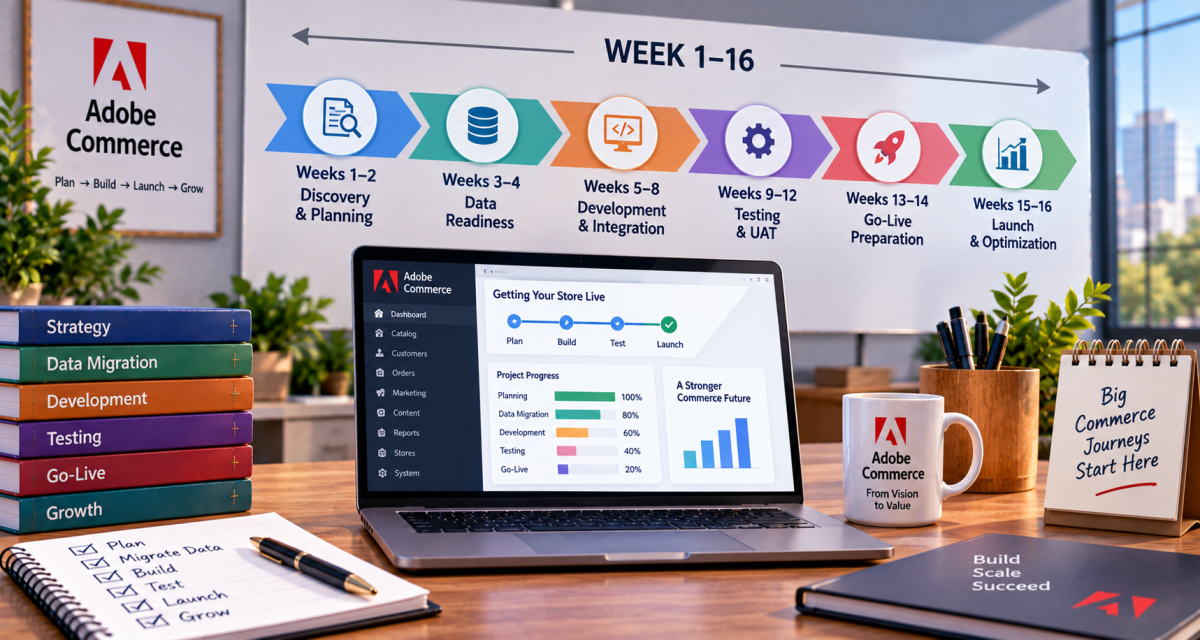
Implementing Adobe Commerce is more than installing an ecommerce platform and uploading products. A successful project involves planning the store architecture, configuring the catalog, preparing data, developing the storefront, connecting third-party systems, testing the complete buying journey, and preparing for launch.
A typical Adobe Commerce implementation may take around 8 to 16 weeks for a well-defined project with controlled scope. Larger B2B stores, complex migrations, custom integrations, or heavily customized storefronts can take longer.
Adobe's implementation guidance separates projects into planning, development, launch, and maintenance phases.
Understanding the Adobe Commerce implementation timeline helps businesses set realistic deadlines and identify dependencies before development begins.
Adobe Commerce Implementation Timeline at a Glance
| Timeline | Main Activity | Key Deliverables |
|---|---|---|
| Weeks 1–2 | Discovery and planning | Requirements, architecture, project scope |
| Weeks 2–4 | Store setup and design | Catalog structure, UX, environments |
| Weeks 3–7 | Development and integrations | Custom features, APIs, extensions |
| Weeks 5–9 | Data preparation and migration | Products, customers, orders, content |
| Weeks 7–11 | Testing and UAT | Functional, integration, performance testing |
| Weeks 10–13 | Staging and launch preparation | Final fixes, SEO, security, deployment planning |
| Weeks 12–16 | Rollout and stabilization | Production launch, monitoring, optimization |
These stages can overlap. For example, data preparation can happen while developers are building integrations.
Weeks 1–2: Discovery and Project Planning
The first stage of the Adobe Commerce implementation process is about understanding what the business needs before development starts.
Adobe's implementation planning guidance includes requirements gathering, architectural design, catalog design, project scoping, and extension purchasing.
During this phase, the team typically reviews:
-
Business and ecommerce requirements
-
Product catalog structure
-
Customer types and account requirements
-
B2B workflows, if applicable
-
Payment and shipping requirements
-
ERP, CRM, PIM, OMS, or marketplace integrations
-
Existing website and ecommerce platform
-
SEO requirements
-
Analytics and tracking
-
Hosting and environment requirements
-
Third-party extensions
The team should also define what is included in the first release and what can be moved to a later phase.
Key outcome
By the end of this stage, the project should have a defined scope, technical direction, responsibilities, milestones, and implementation backlog.
Weeks 2–4: Architecture, Storefront and Configuration
Once requirements are confirmed, the team begins setting up the Adobe Commerce environment and defining the store structure.
This can include:
-
Websites and store views
-
Product categories
-
Attributes
-
Customer groups
-
Pricing rules
-
Tax configuration
-
Shipping methods
-
Payment methods
-
CMS content
-
Search configuration
-
User roles and permissions
-
Storefront design
For a headless implementation, the architecture may also include GraphQL, APIs, API Mesh, and external frontend technologies.
The goal is not simply to make pages look good. The underlying catalog and commerce structure should support the business processes that were defined during discovery.
Weeks 3–7: Development and Integrations
Development usually becomes the largest part of the Adobe Commerce implementation process.
Adobe describes its development phase as including environment setup, sprint planning, ticket execution, troubleshooting, code review, testing, sprint reviews, and customer sign-off.
Development may include:
-
Custom storefront components
-
Theme development
-
Checkout customization
-
Customer account functionality
-
Product and category functionality
-
B2B features
-
Custom modules
-
Third-party extensions
-
Payment integrations
-
Shipping integrations
-
ERP integration
-
CRM integration
-
PIM integration
-
Marketing and analytics tools
-
API integrations
The exact timeline depends heavily on the number and complexity of integrations.
A basic ecommerce store with a small number of integrations can move faster. A large B2B implementation with ERP, PIM, CRM, custom pricing, approval workflows, and multiple payment systems requires considerably more development and testing.
Weeks 5–9: Adobe Commerce Data Readiness
Adobe Commerce data readiness can become one of the biggest timeline factors in an implementation.
Before migration, the business needs to identify which data should move to the new platform and how that data should be structured.
Typical ecommerce data includes:
-
Product information
-
Categories
-
Product attributes
-
Customer accounts
-
Customer addresses
-
Orders
-
Invoices
-
Credit memos
-
CMS content
-
Pricing data
-
Inventory information
-
Promotions
Data should be reviewed before it is imported. Old products, duplicate customers, outdated categories, incomplete attributes, and inconsistent product information can create problems after launch.
For Magento 1 to Magento 2 migrations, Adobe's Data Migration Tool supports settings, bulk data, and incremental changes through separate migration modes. Adobe also recommends creating a migration plan and performing a dry run in a testing environment before production migration.
Why data readiness matters
Poor data preparation can create:
-
Incorrect product pages
-
Broken category structures
-
Duplicate records
-
Missing customer information
-
Incorrect pricing
-
Search problems
-
SEO issues
-
Longer testing cycles
Data migration should therefore start early instead of being treated as a final-week task.
Weeks 7–11: Testing and User Acceptance Testing
After major development is complete, the project moves into deeper testing.
Testing should cover both technical functionality and real business workflows.
Functional testing
The team checks:
-
Product browsing
-
Search
-
Filters
-
Product configuration
-
Cart
-
Checkout
-
Customer registration
-
Login
-
Account management
-
Discounts
-
Shipping
-
Payment
-
Order confirmation
Integration testing
Third-party systems are tested to make sure data moves correctly between Adobe Commerce and connected platforms.
For example:
Adobe Commerce → ERP → Inventory
or
Adobe Commerce → Payment Gateway → Order
or
Adobe Commerce → CRM → Customer Data
SEO testing
SEO checks should include:
-
URL structure
-
Canonical tags
-
XML sitemap
-
Robots.txt
-
Redirects
-
Metadata
-
Structured data
-
Internal linking
-
Indexability
-
404 pages
-
Pagination
-
Faceted navigation
User Acceptance Testing
UAT allows business users to test the store using realistic workflows.
Adobe recommends completing development and testing in Integration and Staging before production launch. Staging is intended to closely represent production and provides an environment for UAT and testing custom code, extensions, services, and configurations.
Weeks 10–13: Staging and Launch Preparation
At this point, the store should be approaching production readiness.
The team moves toward final staging validation and prepares the launch checklist.
Key activities may include:
-
Final UAT
-
Bug fixing
-
Performance testing
-
Security checks
-
SEO validation
-
Analytics verification
-
Payment testing
-
Shipping testing
-
Final data migration rehearsal
-
Backup planning
-
DNS preparation
-
Redirect verification
-
Production configuration
Adobe recommends thoroughly testing the Staging environment before deploying to Production.
Weeks 12–16: Adobe Commerce Rollout
The final stage is the Adobe Commerce rollout.
A rollout should not be treated as simply changing DNS and hoping everything works.
The launch process may involve:
-
Final production deployment
-
Final data synchronization
-
Configuration verification
-
DNS changes
-
Payment verification
-
Order testing
-
Analytics verification
-
Search and indexing checks
-
Performance monitoring
-
Post-launch issue tracking
Adobe's current launch guidance includes final checklist reviews, production deployment, security configuration, service verification, and performance monitoring.
After launch, the team should closely monitor orders, payments, integrations, errors, traffic, performance, and customer behavior.
What Can Make an 8-Week Project Become a 16-Week Project?
Not every Adobe Commerce project has the same level of complexity.
The timeline can increase because of:
1. Complex integrations
ERP, PIM, CRM, marketplace, payment, shipping, and third-party integrations require additional development and testing.
2. Poor data quality
Incomplete or inconsistent product and customer data can delay migration and UAT.
3. Extensive customization
Custom checkout, pricing, B2B workflows, customer portals, or bespoke business rules increase development time.
4. Large catalogs
A large catalog requires additional work around attributes, categories, search, filtering, indexing, and migration.
5. Multiple stakeholders
Slow approvals, unclear requirements, or delayed UAT feedback can extend the project even when development is progressing on schedule.
6. Migration from an existing platform
Platform migration adds another layer of work because existing data, URLs, integrations, and business workflows must be assessed.
8 Weeks vs 16 Weeks: What Changes?
An 8-week implementation is more realistic when the scope is clearly defined, the catalog is manageable, integrations are limited, data is clean, and stakeholders can provide quick feedback.
A 16-week implementation provides more room for complex integrations, custom development, larger data migrations, extensive testing, multiple storefronts, or more involved B2B functionality.
The difference is usually not about moving slowly. It is about the amount of work that must be designed, built, migrated, tested, and approved.
How to Keep the Adobe Commerce Implementation Timeline on Track
Businesses can reduce avoidable delays by preparing early.
Prepare requirements before development
Document business workflows, integrations, catalog requirements, and customer journeys before development begins.
Start data preparation early
Do not wait until development is complete to clean the catalog and customer data.
Define the MVP
Separate launch-critical functionality from features that can be introduced after launch.
Test continuously
Testing should happen throughout development rather than being saved entirely for the final week.
Use staging properly
Adobe recommends testing in staging before production because it provides a production-like environment for validating services, customizations, and business workflows.
Keep launch responsibilities clear
Define who owns technical deployment, DNS, data migration, payment verification, SEO checks, analytics, and business sign-off.
Final Takeaway
The Adobe Commerce implementation timeline can fit into an 8–16 week window for many well-scoped projects, but there is no universal schedule.
A practical implementation generally moves through:
Planning → Architecture → Development → Data Readiness → Integrations → Testing → UAT → Staging → Rollout → Stabilization
The biggest factor is preparation. Clear requirements, clean data, controlled customization, early integration testing, and strong UAT can help prevent last-minute delays.
Adobe's implementation guidance emphasizes planning before development and thorough testing before production launch.
For businesses planning an Adobe Commerce project, the timeline should therefore be treated as a project framework rather than a fixed promise. The more complex the catalog, integrations, customization, and migration requirements, the more time should be allocated for testing and rollout.

DWAO is an Adobe Gold Partner specializing in Adobe Experience Cloud consulting, implementation, migration, and managed services for businesses across the USA. With certified Adobe experts and enterprise implementation experience, DWAO helps organizations maximize platforms including Adobe Analytics, Adobe Target, Adobe Experience Manager (AEM), Real-Time CDP, Adobe Journey Optimizer, Adobe Campaign, Marketo Engage, Adobe Commerce, and Workfront. From strategy and implementation to ongoing support, audits, optimization, and training, DWAO delivers scalable Adobe solutions designed around measurable business outcomes. Its US-led consulting teams and global delivery capabilities support organizations across industries, including financial services, healthcare, retail, technology, manufacturing, travel, and hospitality. DWAO combines Adobe-certified expertise, enterprise delivery experience, and AI-accelerated implementation approaches to help businesses build better digital experiences, improve customer journeys, and get greater value from their Adobe technology investments. For More Details Please Visit https://adobepartner.co/









Comments (0)