

Remove Line Breaks Online: Easy Ways to Fix Broken Text and Improve Readability
Remove line breaks online to clean copied text, fix unwanted formatting, and join broken lines. Discover practical methods for better text readability.


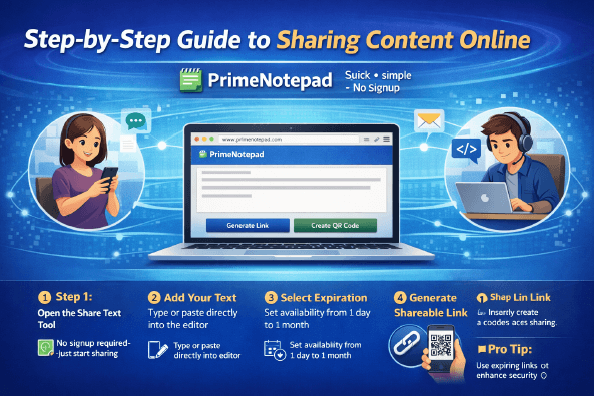
Have you ever copied text from a PDF, website, or email only to discover that every sentence appears on a separate line? This formatting issue can make a simple editing task unnecessarily time-consuming. With the Remove line breaks tool, you can clean up unwanted line endings and turn broken text into a more readable format. This is useful for bloggers, students, office professionals, researchers, and anyone who regularly transfers text between applications. Instead of manually joining every line, you can use an online text-cleaning tool to simplify the process. In this guide, you will learn why line breaks occur, how to remove them correctly, which methods work best for different situations, and how to preserve the original meaning and structure of your content.
What Are Line Breaks in Text?
A line break is a formatting character or instruction that moves text onto a new line. Line breaks are useful when organizing documents, creating lists, separating headings, or formatting addresses. Problems arise when unnecessary breaks appear in content that should be displayed as a continuous paragraph.
For example, imagine copying this paragraph from an online document:
Writing clear content is important.
Readers need information they can understand.
Good formatting makes text easier to follow.
After removing unnecessary line breaks, the result can look like this:
Writing clear content is important. Readers need information they can understand. Good formatting makes text easier to follow.
The revised version is easier to reuse as a single paragraph. However, the right result depends on the original content. A poem, numbered list, or document with separate paragraphs may need its line breaks preserved.
The purpose of line break removal is therefore not to eliminate every new line automatically. It is to remove unnecessary formatting while keeping the text readable and meaningful.
Why Should You Remove Unwanted Line Breaks?
Unwanted line endings can interfere with everyday writing, document preparation, and data handling. Cleaning them up can make several tasks easier.
Improve Text Readability
When sentences are split across multiple lines without a meaningful reason, reading becomes less comfortable. Removing unnecessary breaks helps restore the natural flow of paragraphs and makes copied information easier to understand.
Reduce Manual Editing
Fixing dozens or hundreds of broken lines individually takes time. A line break remover can simplify this task by processing the text in one operation, depending on the tool's functionality.
Prepare Content for Publishing
Website editors and content management systems may display pasted text differently from its original source. Cleaning unnecessary line endings before publishing can make it easier to format articles, product descriptions, website copy, and other content.
Organize Copied Information
Students, researchers, and office workers often collect information from several sources. Removing unwanted line breaks can make these notes easier to review, organize, and transfer into another document.
Support Consistent Formatting
Text copied from different applications may contain inconsistent spacing and line endings. Cleaning the text helps establish a more consistent starting point before applying the final formatting.
How to Remove Line Breaks Online With PrimeNotepad
An online line break removal tool offers a straightforward option when you want to clean text without installing software. PrimeNotepad provides a dedicated tool for this purpose.
Follow these steps to prepare your text.
Step 1: Select and Copy Your Text
Open the document, webpage, email, or PDF containing the text you want to clean. Select the relevant passage and copy it.
If the text includes headings, lists, or multiple paragraphs, decide which parts should remain separate before removing the breaks.
Step 2: Open the Remove Line Breaks Tool
Visit PrimeNotepad's online line break remover. Open the tool and locate the text input area.
Step 3: Paste the Copied Content
Paste your text into the input field. Check that the content has transferred correctly and that no important sections are missing.
For particularly long passages, retaining a separate copy of the original text is a useful precaution.
Step 4: Remove the Unnecessary Breaks
Use the available tool function to process your text. The resulting format will depend on the options provided and the type of breaks in the original content.
Review the output carefully. Some text should become one paragraph, while other material may require separate paragraphs or lists.
Step 5: Copy and Use the Result
When the cleaned text looks correct, copy it into your preferred application. You can use the result in a document, email, blog editor, spreadsheet, or another text-processing workflow.
Need to clean copied text quickly? Try PrimeNotepad's Remove Line Breaks tool to simplify your formatting process and reduce repetitive manual editing.
Common Situations Where Line Break Removal Helps
The usefulness of a line break remover depends on the task. These are some of the most common situations in which removing unwanted breaks can make a difference.
Cleaning Text Copied From PDFs
PDF files are designed to preserve page layouts. When you copy text from a PDF, the extracted content may include a line break at the end of every visible line.
A paragraph that originally contained complete sentences can consequently appear as several short lines. Removing unnecessary breaks helps restore the paragraph flow.
However, PDF extraction can also affect spaces, columns, and reading order. Review the result before using it in a report or article.
Fixing Text Copied From Websites
Websites often display information in columns, cards, sidebars, and other visual sections. Copying content from these layouts can introduce unwanted line endings.
A text-cleaning tool can help prepare the copied material for editing. You should still verify that headings, links, and separate content sections remain in the correct order.
Formatting Email Messages
Copied email content may contain unnecessary blank lines or awkward breaks. Cleaning the text can make it easier to reuse information in another message or document.
Keep intentional paragraph spacing when it helps the recipient understand the message.
Preparing Research Notes
Students and researchers may collect information from online articles, digital books, and educational resources. Removing unnecessary line breaks can make copied notes easier to organize.
When using research material, preserve source details and citations. Cleaning formatting should never mean losing the information needed to identify the original source.
Managing Spreadsheet Content
Text copied into spreadsheets may contain line breaks inside individual cells. Depending on the task, removing them can help prepare data for searching, sorting, or exporting.
Before making changes, confirm that each break is unwanted. In some spreadsheets, line breaks deliberately separate multiple items within a single cell.
How to Remove Line Breaks Without Damaging Your Text
Removing line breaks is simple, but the wrong approach can create new formatting problems. Understanding how spaces and paragraph boundaries work helps you avoid these mistakes.
Replace Breaks With Spaces When Necessary
Consider the following example:
Before:
Digital tools help writers
prepare content efficiently.
Incorrect result:
Digital tools help writersprepare content efficiently.
Correct result:
Digital tools help writers prepare content efficiently.
The incorrect result appears when the line-ending character is deleted without inserting a space. Replacing the unwanted break with a space keeps the sentence readable.
Not every line ending should be replaced in this way. Code, structured data, and certain lists may require specific separators.
Preserve Important Paragraphs
Paragraph breaks separate different ideas. Removing all of them can turn a well-organized article into one long block of text.
If your source contains several paragraphs, choose a method that removes only the unwanted line endings. Then check whether the original paragraph structure remains intact.
Check Punctuation and Spacing
After processing text, look for missing spaces after periods, joined words, repeated spaces, and punctuation that appears in the wrong place.
This is particularly useful when cleaning content extracted from scanned documents or complex PDF layouts, where copying may introduce problems beyond line breaks.
Keep a Backup of the Original
Always retain a copy of important content before making bulk changes. A backup makes it easier to restore missing paragraphs, correct formatting errors, or compare the cleaned version with the original.
Online Tools vs. Manual Methods
Different text-cleaning methods offer different levels of convenience and control. Choosing the right option depends on how often you perform the task and how complex your formatting is.
Online Line Break Removers
An online tool is convenient for occasional tasks. You can open it in a browser, paste your content, process the text, and copy the result.
This option works well when you want to clean copied text without learning specialized commands or changing software settings.
Microsoft Word Find and Replace
Microsoft Word supports Find and Replace functions that can target specific paragraph marks and manual line breaks.
This approach is helpful when working inside a document or when you need more control over which formatting characters are replaced. However, replacing the wrong characters can merge separate paragraphs.
Text Editors With Advanced Search
Some text editors support regular expressions and other advanced replacement features. These functions can be useful when processing repeated text patterns or large files.
The search pattern must match the type of line ending and the software being used. Test the operation on a small sample before processing an entire file.
Automated Text Processing
For repeated data-cleaning tasks, a script can remove selected newline characters automatically. This method is useful for developers and analysts who regularly process text files.
Automation requires additional care because the same replacement rule may not work for every document or data format.
Who Should Use a Line Break Remover?
A line break remover can be useful for anyone who regularly copies and reformats text.
-
Content writers: Clean research notes and prepare drafts for editing.
-
SEO professionals: Organize copied material before improving its structure and readability.
-
Students: Format notes collected from digital learning materials.
-
Researchers: Prepare textual material for review while retaining important citations.
-
Office workers: Standardize text transferred between emails, reports, and spreadsheets.
-
Developers: Process selected newline characters in text files and data strings.
-
Social media managers: Clean captions and promotional text before transferring content between applications.
Although these users have different needs, the underlying benefit is similar: less time spent correcting unwanted formatting and more time focused on the actual content.
Best Practices for Better Text Formatting
To get the most from an online text-cleaning tool, follow a few practical guidelines.
Choose the Correct Formatting Goal
Decide whether you want to join every line, remove only extra line endings, or preserve separate paragraphs. A clear goal helps you avoid unnecessary changes.
Review the Text Before Publishing
Never assume that cleaned text is automatically ready for publication. Check paragraph flow, spelling, punctuation, and spacing before using it in an article, email, or report.
Avoid Removing Structural Breaks
Lists, addresses, headings, code, and tables may depend on their original line arrangement. Keep these structures intact unless you specifically need to convert them.
Consider Confidentiality
Before pasting sensitive documents into an online service, review its privacy practices. For confidential information, a trusted offline editor may be a more appropriate option.
Check the Final Application
Text can appear differently after being pasted into a website, spreadsheet, or document editor. Review the final result in the application where the content will actually be used.
Frequently Asked Questions
1. What does a remove line breaks tool do?
A remove line breaks tool helps eliminate unwanted line endings from text. Depending on its functionality, it can join separate lines and make copied content easier to read, edit, and reuse.
2. How can I remove line breaks from copied PDF text?
Copy the relevant text from the PDF, paste it into an online line break remover, and apply the available cleaning function. Review the result to correct any missing spaces, misplaced text, or paragraph formatting issues.
3. Can I remove line breaks without changing the meaning?
Yes, provided you preserve necessary spaces, punctuation, and paragraph boundaries. Review the cleaned text to make sure that sentences remain readable and that important formatting has not been lost.
4. Is an online line break remover free to use?
Pricing and usage limits depend on the individual tool. Check the current PrimeNotepad tool page for its available features and any applicable restrictions.
5. Does removing line breaks improve SEO?
Removing unwanted line breaks can help prepare text for editing and improve its presentation. However, the formatting change itself does not guarantee better rankings. Search performance depends on broader factors, including relevance, content quality, usability, and technical implementation.
6. Can I remove line breaks from a large text file?
Yes, depending on the tool's supported input size and your device. For very large files or recurring tasks, a desktop text editor or automated script may be more suitable. Always preserve the original file before making bulk changes.
Conclusion
Unnecessary line breaks can interrupt reading, complicate editing, and create extra work when transferring text between applications. Learning how to remove line breaks helps you prepare cleaner documents, organize research notes, format copied PDF content, and manage text more efficiently.
The key is to remove unwanted breaks without damaging spaces, paragraphs, or other meaningful structures. An online tool is a convenient choice for everyday formatting tasks, while word processors and advanced text editors provide additional control when your content requires more precise changes.
For a straightforward way to clean copied text, try Remove line breaks on PrimeNotepad. Process your content, review the result, and move it into your preferred application with cleaner formatting and fewer manual corrections.














Comments (0)