
Smart Locker System: Digital Locker Management Solutions for Modern Workplaces in Kuwait
A Smart Locker System gives Kuwait’s modern workplaces a secure, automated way to store employee belongings, parcels, devices and shared equipment without manual key handling. Tektronix delivers this capability through a complete locker platform that helps offices, campuses and commercial buildings improve accountability and daily efficiency.
Kuwait’s business landscape keeps expanding across Kuwait City, Salmiya, Haw ally and newer commercial districts, and organizations are adopting digital tools to manage space, people and assets. Locker management is a practical place to start because it touches every employee, every day.
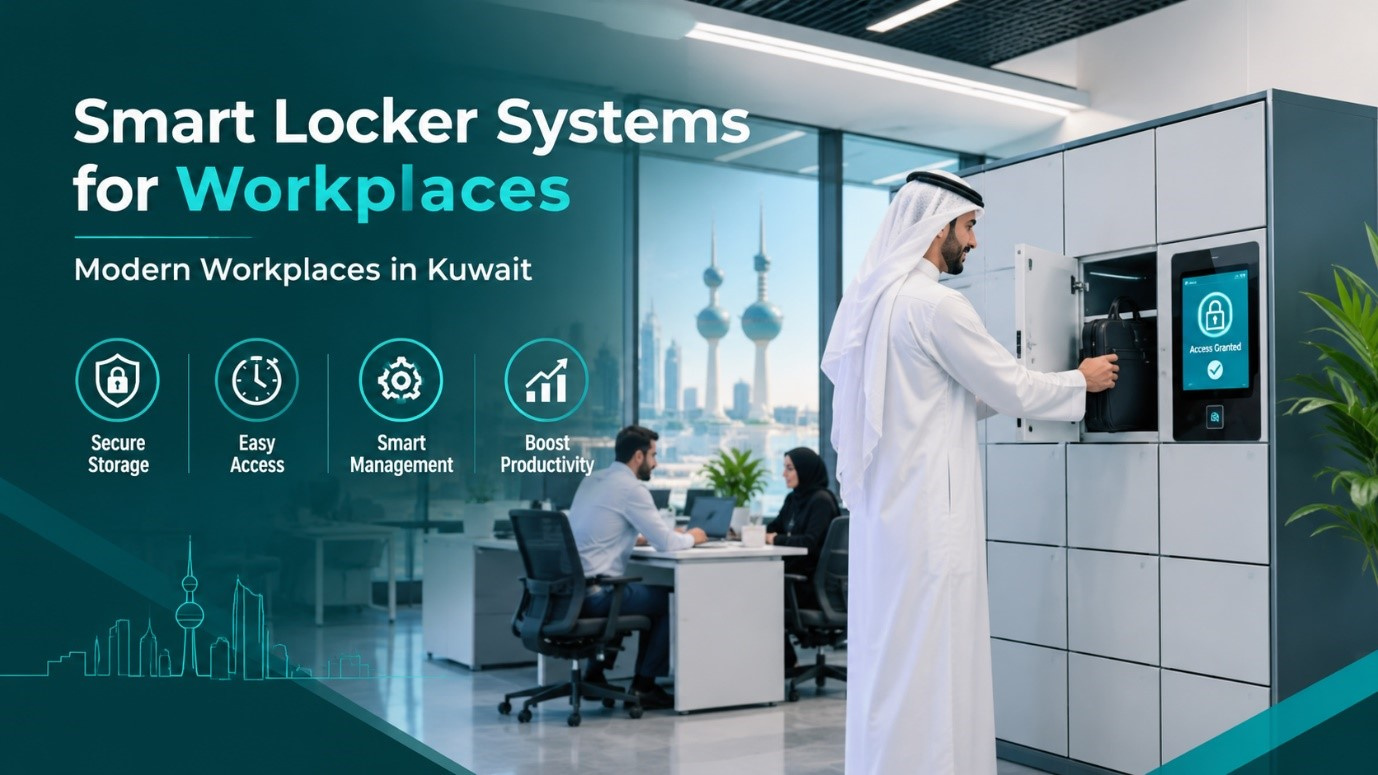
Why Kuwait Workplaces Are Replacing Traditional Lockers
Traditional metal lockers depend on physical keys and padlocks. Keys get lost, spare keys are copied, and nobody can say who opened which compartment or when. Facility teams lose hours on reassignments, and security teams have no audit trail when an item goes missing. A modern Locker System removes these weaknesses with software-controlled compartments, identity-based access and a complete activity record.
Hybrid work adds more pressure. Employees who share desks need a safe place for laptops, badges and personal items between visits, yet fixed lockers sit idle while demand grows elsewhere. Dynamic allocation solves this because a compartment is assigned only when needed and released automatically afterwards.
How a Digital Locker Platform Works
Identity Based Compartment Access
Each compartment opens only for an authorized user. Credentials can be an RFID card, a mobile credential, a PIN, a QR code or a facial match. An Electronic Locker System pairs these credentials with electronic locks, so every open, close and failed attempt is logged with a timestamp and a user identity.
Central Management and Reporting
Administrators use a single dashboard to assign, release and monitor compartments across floors or buildings. Reports show utilization by location, peak hours, overdue items and fault alerts. Facility managers can use these insights to right size the number of lockers instead of guessing, which protects budget and floor space.
Core Capabilities Workplaces Should Expect
• Flexible allocation: fixed, dynamic or time limited assignment for each user group.
• Multiple credentials: RFID, mobile, PIN, QR code and biometric options on the same installation.
• Instant alerts: notifications for tamper attempts, doors left open, low power and overdue collection.
• Audit trail: searchable history of every transaction for security and HR reviews.
• Directory integration: user synchronization with Active Directory, HR systems and existing access cards.
• Modular hardware: compartment sizes for laptops, parcels, uniforms, tools and personal items.
Practical Use Cases Across Kuwait
Corporate Offices and Shared Workspaces
Oil and gas companies, banks, consultancies and technology firms in Kuwait City use lockers to support desk sharing, secure device storage and contractor onboarding. Staff walk up, authenticate and collect or return an item in seconds, with no help desk involved.
Retail and Hospitality Destinations
Large retail destinations handle heavy foot traffic every day. A Smart Locker for Malls lets shoppers leave bags safely, gives tenant staff a secure place for belongings and supports click and collect orders, so customers browse comfortably and stores keep aisles clear.
Universities, Hospitals and Government Offices
Campuses and hospitals need lockers for student kits, clinical staff belongings, equipment handover and document exchange. Government offices use them for controlled document pickup, which reduces queues and strengthens chain of custody.
Security, Privacy and Compliance
Lockers protect valuable items, so the platform itself must be secure. Look for role-based administrator permissions, encrypted communication between locker controllers and the server, tamper detection and power backup. Organizations in Kuwait should also align biometric and personal data handling with the data privacy regulation issued by the Communication and Information Technology Regulatory Authority (CITRA), including clear consent, limited retention and restricted access. Governance frameworks such as ISO 27001 give security teams a proven structure for these controls.
Integration and Deployment
A successful rollout follows a clear sequence: site survey, locker sizing, credential model selection, system integration, pilot, user training and full launch. Lockers work best when connected to the wider security stack, so Tektronix links them with its access control platform and its visitor management solution. One credential can then open doors, register guests and unlock a compartment, which keeps the experience simple for employees and manageable for administrators.
Why Choose Tektronix
Tektronix is a technology systems company serving the Gulf region from the UAE, with solution lines in access control, visitor management, video analytics, data center security and lockers. Its engineers handle survey, design, installation, commissioning and support as one accountable team. Customers receive documented acceptance testing, administrator training and ongoing maintenance, which are the experience and trust signals that procurement committees look for. You can review specifications on the Tektronix smart locker solutions page before requesting a consultation.
Conclusion
Workplaces that adopt a Smart Locker System Kuwait approach gain control, accountability and a cleaner daily experience for every employee. A Digital Locker System removes lost keys, speeds up reassignment and produces the audit data that managers need. Tek Locker brings these benefits together with flexible compartments, secure credentials and centralized reporting. Starting with a site survey and a small pilot keeps risk low and results measurable. Contact Tektronix to plan a deployment that fits your building, your users and your budget.
FAQs
1. What is a smart locker used for in an office?
It stores laptops, parcels, personal items and shared equipment behind electronic locks that open only for authorized users, with every action recorded.
2. How does Face Recognition Locker Access work?
A camera compares the user’s face with an enrolled template and unlocks the assigned compartment on a match. It removes the need to carry cards or remember PINs, and templates should be stored under clear consent and retention rules.
3. What does Locker Management Software control?
It handles user enrolment, compartment assignment, access rules, alerts, reports and integrations from one dashboard, so administrators never need to visit each locker bank.
4. Can lockers work with existing access cards?
Yes. Most installations read the same RFID or mobile credentials already used for doors, and user records can synchronize from your directory or HR system.
5. How long does deployment take?
Timing depends on the number of lockers and integrations. A site survey and pilot are planned first, then the full rollout is scheduled around your building access and working hours.









Comments (0)