

Choosing the Right Library Management Software to Streamline Your Library Operations
Learn how Library Management Software helps modern libraries manage books, members, circulation, records, automation, and daily operations through organized digital solutions.
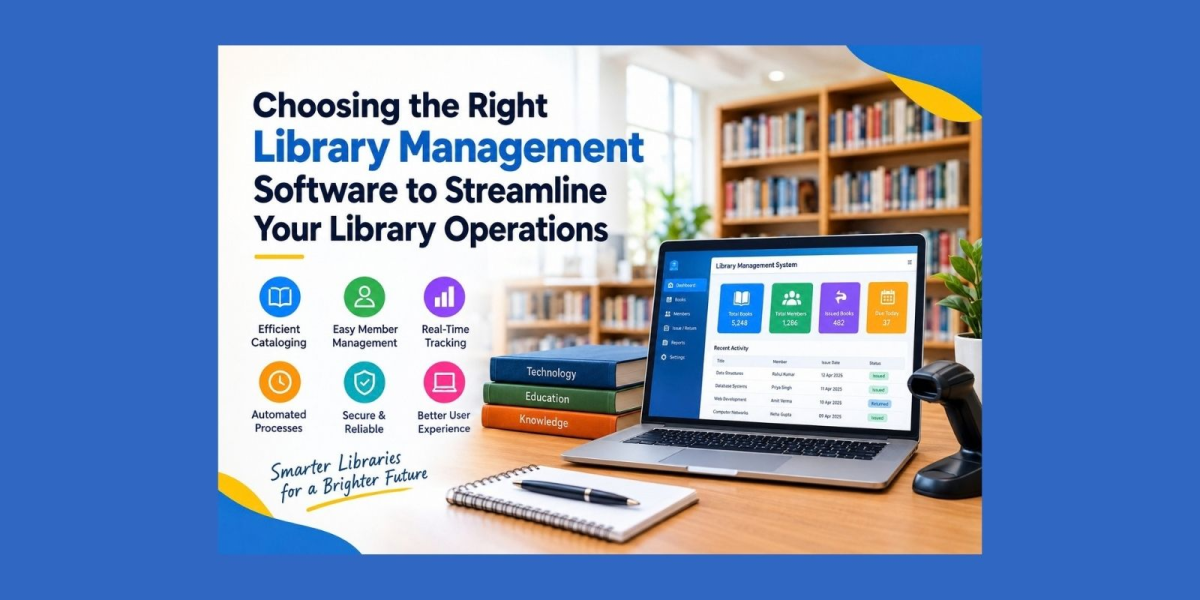
Libraries manage a large amount of information every day. Books, members, issue records, returns, attendance, payments, and catalog details all need to remain organized. Library Management Software can help modern libraries move from manual records to a structured digital workflow. It can reduce repetitive tasks, improve access to information, and help staff manage daily operations more efficiently. However, choosing the right system requires an understanding of the library's actual needs, users, resources, and long-term goals.
Why Libraries Need Digital Management
Traditional library administration often depends on registers, spreadsheets, and separate records. These methods can work for smaller collections, but managing information becomes more difficult as the number of books and members increases.
Digital Library Management can bring different activities into a centralized environment. Staff can maintain book records, member information, circulation details, and reports in one system. This can reduce duplicate data entry and make important information easier to find.
Digital systems can also improve consistency. When records are updated in one place, authorized staff can work with more current information. This can be useful for schools, colleges, universities, public libraries, and private study centres.
Key Features to Consider
Every library has different requirements. A system should therefore be selected based on actual workflows rather than simply the number of features available.
Book and Catalog Management
Book records are at the centre of most library operations. A digital catalog can store information such as book title, author, category, edition, availability, and identification details.
Library Catalog Software can make searching faster and more organized. Staff can locate records without manually checking multiple registers.
Member Management
A library may have students, teachers, employees, researchers, or public members. A digital member database can keep their information organized.
Membership records can include registration details, contact information, membership status, borrowing history, and other relevant information, depending on the system.
Issue and Return Tracking
Tracking books manually can take significant time. Digital circulation features can record when a resource is issued, who has borrowed it, and when it is due for return.
Book Management Software can also help staff monitor availability and identify overdue resources. Automated reminders may further reduce the need for manual follow-ups.
Online Library Management System
An Online Library Management System can provide access to library information through internet-connected devices, depending on the platform and its permissions.
This can be useful for administrators who need to manage information from different locations. Authorized users may be able to review records, monitor circulation, manage members, or access reports without depending on a single physical computer.
Online access can also support institutions with multiple departments or branches. Centralized information can make coordination easier when appropriate access controls are in place.
Role of Library Automation Software
Library Automation Software is designed to reduce repetitive administrative work. Common automated processes can include book circulation, member management, due-date reminders, notifications, attendance records, and report generation.
Automation does not eliminate the need for library staff. Instead, it can reduce routine data-entry work and allow staff to focus more on readers, collections, and service quality.
Before introducing automation, libraries should review their existing processes. Understanding where delays and repetitive tasks occur can help administrators select useful features rather than unnecessary ones.
Library Database Management and Data Security
A library system handles important information. This can include member details, contact information, borrowing records, payment information, and administrative data.
Library Database Management should therefore be considered carefully when selecting a platform. Libraries should understand how information is stored, backed up, accessed, and protected.
Access controls are also important. Different users may require different permissions. For example, an administrator may need broader access than a regular library member.
Regular backups, secure authentication, controlled permissions, and appropriate data-handling practices can help reduce operational risks.
Integrated Library System for Growing Institutions
An Integrated Library System can connect multiple library functions within one environment. Instead of using separate tools for cataloging, circulation, membership, and reporting, institutions can manage these activities through an integrated workflow.
This approach can be useful for growing libraries because the volume of records can increase over time. A scalable system should be able to support changing requirements without creating unnecessary administrative complexity.
Libraries should also check whether the platform supports multiple users, different devices, reporting requirements, and future expansion.
Library Information System and User Experience
A Library Information System should not only help administrators. It should also make library services easier for users.
Search functionality can help readers find resources quickly. Clear availability information can reduce unnecessary inquiries. Depending on the system, users may also be able to review their borrowing information, receive notifications, or access other library services.
A simple interface can make adoption easier. Staff and members should not need extensive technical knowledge to perform basic tasks.
How to Evaluate a Library Software Solution
When comparing a Library Software Solution, libraries can create a checklist based on their actual requirements.
Important areas to review include:
- Catalog and book management
- Member registration and records
- Issue and return tracking
- Search functionality
- Attendance and payment management
- Reports and analytics
- User permissions
- Data backup and security
- Mobile and browser compatibility
- Scalability
- Technical support
- Ease of use
Cost is another factor, but it should be considered alongside functionality and long-term usability. A low-cost system may not be suitable if it cannot support the library's operational requirements.
Making the Transition to Digital Operations
Moving from manual records to a digital platform should be planned carefully. Libraries can begin by reviewing existing records and identifying the information that needs to be transferred.
Staff training is another important step. Users should understand how to add records, manage circulation, generate reports, and follow security procedures.
A gradual transition can also help identify workflow problems before the entire operation becomes dependent on the new system.
For institutions planning this transition, Library Management Software can provide a structured way to organize books, members, circulation, and administrative records. The right choice should be based on the library's size, workflow, security requirements, user expectations, and future plans.
Yoo Library provides a digital approach for organizations looking to organize library administration and manage core activities through a centralized platform.
Libraries can begin by documenting their current challenges and listing the features they actually need. Comparing systems against these requirements can make the selection process clearer. A thoughtful digital transition can help libraries maintain organized records, reduce repetitive work, and provide more convenient services to their users.

Yoo Library is a cloud-based library management platform for libraries, schools, colleges, and coaching institutes. Yoo Library is a cloud-based library management platform for libraries, schools, colleges, and coaching institutes.






Comments (0)