

How Embroidery Digitizing Services USA Plan Better Stitch Files
See how Embroidery Digitizing Services USA turn artwork into planned stitches, and why fabric, size, placement, and human review matter for a usable file too.

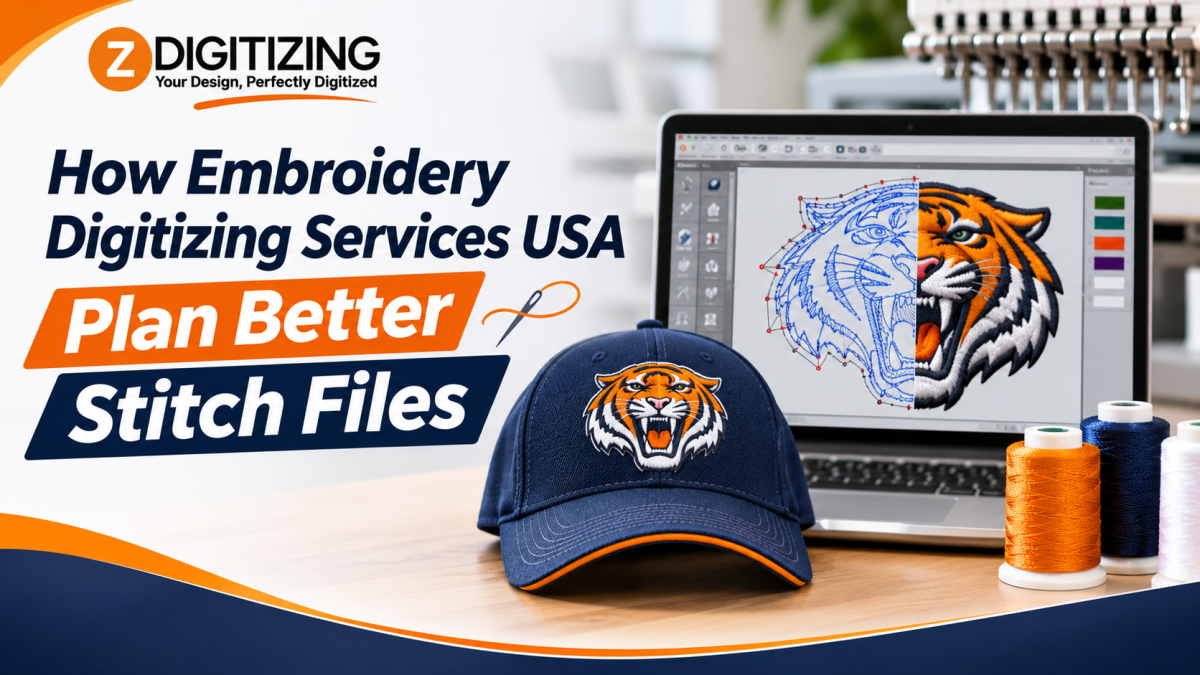
A picture file shows what a design should look like, but it does not tell an embroidery machine how to sew it. Our Embroidery Digitizing Services USA translates artwork into stitch instructions for a compatible machine. The process involves more than converting an image format: the digitizer needs to consider the design, placement, fabric, size, and output type.
When we prepare Embroidery Digitizing Services USA, we use the artwork and requirements you provide to plan the file for its intended application. This article explains the role of manual digitizing, what information matters, and how to review the result before production.
What Embroidery Digitizing Services USA do beyond image conversion
Changing a JPG into a PNG changes the way an image is stored; it does not create stitches. An embroidery file contains machine-readable instructions such as stitch locations and directions. The digitizer interprets the shapes, lettering, and color areas, then maps them into a sequence that the machine can sew.
At ZDigitizing, we manually digitize custom designs. The product page describes manual digitizing for custom designs. This means a person reviews the artwork and prepares the embroidery data instead of relying only on automatic image conversion. In Embroidery Digitizing Services USA, that distinction matters because two designs that look similar on screen can behave differently when sewn on a cap, a shirt, a patch, or a jacket back.
What an automatic trace can miss
An automatic trace can follow visible outlines, but it may not account for how a design will sew on a specific material. The intended fabric is part of the design brief. A small logo on a polo, a curved cap design, and a large jacket-back graphic each have different space and material considerations. If the digitizer does not know the product or finished size, the file may be prepared around assumptions that do not match the production task.
Give us details such as:
-
The garment or product type.
-
The exact location where the embroidery will appear.
-
The finished width and height.
-
The fabric, if known.
-
Whether the design is a logo, monogram, patch, appliqué, 3D puff, or another style.
-
The machine format required by the operator.
These details help align the digitizing work with the real project. If you plan to use the artwork in more than one place, provide each placement and size rather than asking for a single file to cover every case.
How we build a machine-ready file
Our product page outlines a process that begins with uploading artwork and entering order requirements. Our digitizer reviews the design and prepares the stitch file. A quality check follows, and the file is sent by email. The product page lists a typical 4–12 hour turnaround, urgent delivery at 1–4 hours, and notes that complex designs may take longer. Confirm current timing when ordering.
In Embroidery Digitizing Services USA, the digitizer may need to account for stitch types, directions, density, sequencing, and thread changes. The specific decisions depend on the artwork and application. We do not assume every pixel can be reproduced exactly as thread; some details may need to be represented in a way that suits embroidery and the requested size.
Services for different design types
Our embroidery product page lists a range of design applications, including:
-
Logo digitizing: for chest, full-front, or other logo placements.
-
Cap and hat digitizing: for designs placed on curved headwear.
-
3D puff digitizing: for designs where a raised, textured effect is requested.
-
Appliqué digitizing: for artwork that uses fabric pieces within the design.
-
Jacket-back digitizing: for larger compositions on jacket backs.
-
Monogram and patch digitizing: for initials, badges, emblems, and patch designs.
Each application should be described with its actual product, size, and placement. A cap-front file may need different planning from the same logo on a left-chest area. Tell us the intended use when you submit the art.
What to review after delivery
A file can be machine-ready and still require a production check on the embroidery setup. Confirm that the file opens in the software or machine used by your operator. Review the size, placement, and spelling, then ask whether a sample sew-out is useful for a new material or important order.
A sew-out also depends on thread, stabilizer, hooping, machine settings, and the garment. If the sample differs from the approved design, write down the exact issue and share the material and dimensions with the operator. Specific notes make it easier to determine what needs adjustment.
When do Embroidery Digitizing Services USA help?
Manual digitizing may be useful when the design needs to fit a particular product, the source artwork includes small details, or a business needs files in a specific machine format. Embroidery Digitizing Services USA also give the operator an opportunity to specify the format before work begins. It also helps when a project uses a specialized style such as puff, appliqué, cap, or patch embroidery. The product page describes manual digitizing and a quality check as part of the service.
It is still important to submit clear instructions. Name the format, size, material, and placement. If your machine uses a format not listed on the product page, send the machine name or ask your operator to confirm the required output before placing the order.
Prepare your design for accurate digitizing
Manual stitch planning begins with a clear brief and approved artwork. At ZDigitizing, we review the design and order details, digitize the file, and check it before delivery, according to the service page. Send your artwork and embroidery requirements to request a machine-ready file that fits your workflow.
Frequently asked questions
What is manual embroidery digitizing?
Manual digitizing is the process of reviewing artwork and planning stitches for an embroidery machine. It converts the visual design into machine-readable instructions. The exact stitch plan depends on the size, fabric, placement, and design details.
Are Embroidery Digitizing Services USA the same as automatic image conversion?
A regular image conversion does not create stitch data. An embroidery file requires machine instructions, including stitch positions and directions. Digitizing prepares those instructions and exports them in a format supported by the intended machine or software.
Why does a digitizer need the fabric type?
Fabric and placement help explain the sewing conditions. A cap, polo, patch, and jacket back each present different material and space considerations. Share the garment and fabric details you know so the file can be prepared for its intended use.
Does the same logo need different files for different placements?
It may. A logo used on a cap, sleeve, chest, and jacket back can require different dimensions or layout choices. Provide each intended size and placement when ordering so we can review the requirements for each version.
How do I choose the right machine format?
Check the embroidery machine or software documentation, or ask the production operator which format is supported. The product page lists DST, PES, VP3, EXP, EMB, JEF, HUS, and SEW among its examples. Include the exact requested format in your order.















Comments (0)